HomeAdvisor vs Your Own Website
HomeAdvisor sells you leads one at a time, often shared with other pros, and stops the day you stop paying; your own website and Google Business Profile bring customers who found you alone, cost a flat amount, and take months to build. HomeAdvisor is worth it when you need work fast and your cost per job won is lower than your profit per job. Your own website wins over time when it brings enough of its own calls, which is what BrickByClick builds, from $399 a month with local SEO from $599.
At a glance
- The real comparison: cost per job won, not cost per lead. Use your own HomeAdvisor statements.
- HomeAdvisor’s strength: speed. Leads can start as soon as your profile matches.
- Your website’s strength: customers who are not shared, no fee per lead, and reviews and pages that keep working.
- What a website alone will not do: rank by itself. It needs a Google profile, reviews, listings and months of local SEO.
- BrickByClick cost: Front Office $399 (website, AI receptionist, CRM), Growth $599 (adds local SEO), Total Growth $999. Month to month.
- Also serves: local service businesses in 30+ industries, not only home-improvement trades.
HomeAdvisor vs your own website: what is the difference?
One is a marketplace that rents you introductions. The other is a channel you own, where the customer comes straight to you.
HomeAdvisor: pay per lead
From HomeAdvisor’s own help pages (the service is now called “Angi Leads, formerly HomeAdvisor Pro”):
- You are “charged for each new lead as soon as it’s sent”, and “Leads are not guaranteed jobs” (How leads work).
- Market Match leads go to “up to four pros”; Exact Match leads go to as many as the homeowner chooses (leads FAQ).
- Lead cost depends on factors including project size, location and type, and can be higher when the homeowner picks you directly.
- Your monthly spend target is an estimate, “not a hard cap”.
Your own website: pay for the channel
- The website, your Google Business Profile and your reviews bring in calls and form requests.
- Nobody else is sent that customer.
- You pay to build and run it, not per customer.
- It is slow to start: a new site and profile rarely bring much in the first months.
Is HomeAdvisor worth it?
Sometimes, yes. It depends on your numbers, not on anyone’s opinion, including ours.
When HomeAdvisor is worth it
- You are new, have no reviews and need work now.
- You have crew time sitting idle and any decent job beats none.
- Your cost per job won from HomeAdvisor is comfortably below your profit per job.
- You call every lead back within minutes, so you win more of the shared ones.
When it stops being worth it
- Your cost per job won keeps rising, or eats most of the profit on a typical job.
- You are losing shared leads to whoever calls first, because you are on a job.
- You spend evenings chasing leads that never pick up.
- You already get calls from Google and referrals, and would rather grow those.
Why “cost per lead” misleads
A lead is not a job. What matters is what you spent on leads divided by the jobs those leads actually became. Work that out below before deciding anything.
How to compare HomeAdvisor and your own website with your own numbers
Use three months of your own records. We do not fill in numbers for you, because typical figures from someone else’s market would mislead you.
Step 1: your HomeAdvisor cost per job won
- A = what you paid HomeAdvisor in those three months (after any credits).
- B = jobs you actually won from those leads.
- A ÷ B = your cost per job won.
Step 2: your profit per job
C = what you keep on a typical job after materials and labor. If A ÷ B is a large share of C, the leads are working for HomeAdvisor more than for you.
Step 3: what your own channel would have to bring
- D = the monthly price of running your own (for example $599 for BrickByClick Growth with local SEO).
- D ÷ C = the number of extra jobs a month, from your own calls, that pays for it.
- Compare that with what you win from HomeAdvisor each month today.
Step 4: allow for time
Your own channel will not hit that number in month one. Plan to keep some lead spend while it builds, then lower it as Step 3 is covered by your own calls.
Step 5: measure it, do not guess
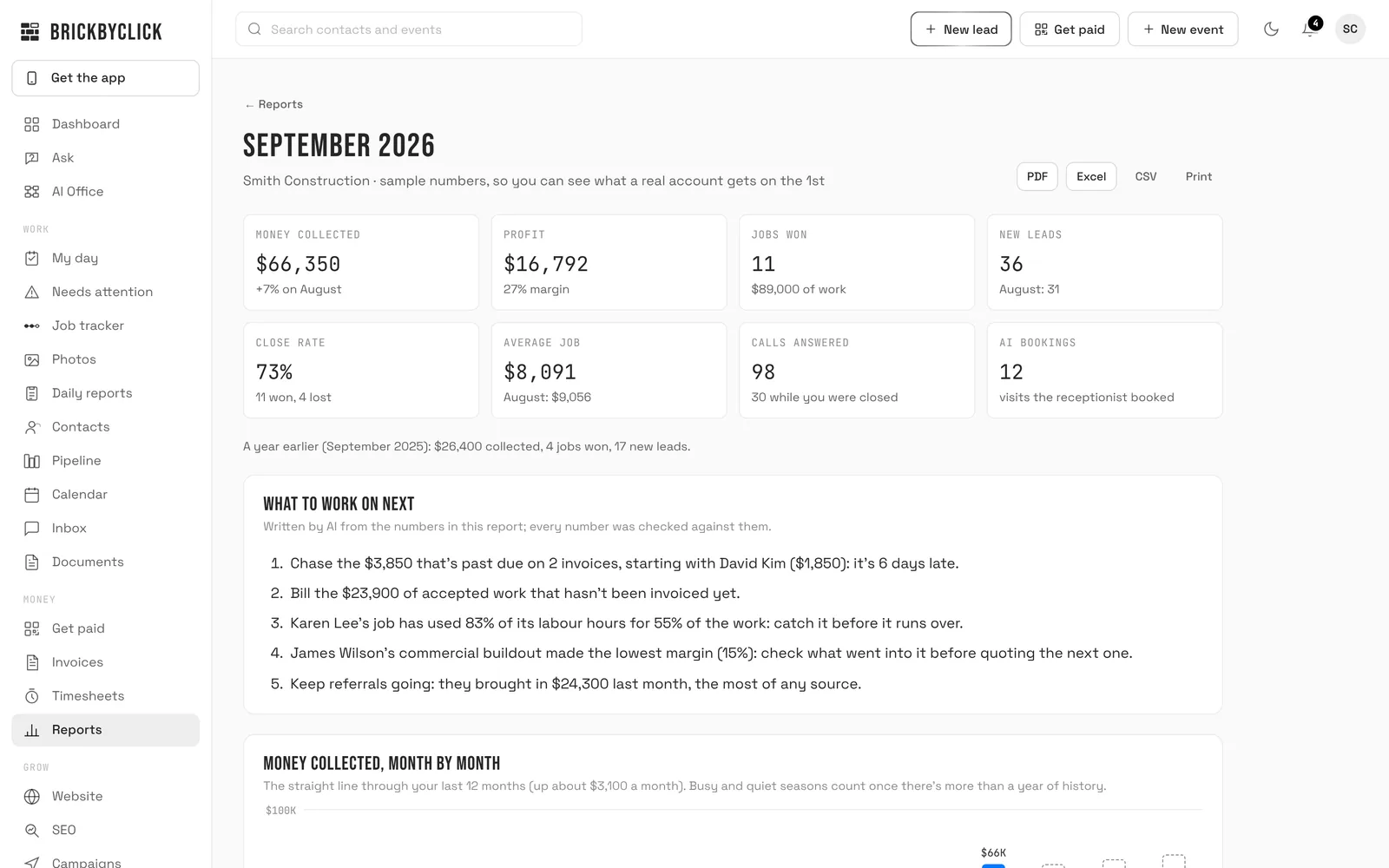
The Reports page in the BrickByClick CRM groups leads, jobs won and money collected by where each customer said they heard about you, and shows the close rate by source.
HomeAdvisor leads vs your own website: side by side
| HomeAdvisor leads | Your own website and Google profile | |
|---|---|---|
| What you pay for | Each lead, when it is sent | Building and running the channel, monthly |
| Price is set by | HomeAdvisor: project size, location, type and more | Your plan: with BrickByClick $399, $599 or $999 a month |
| Shared with other pros | Market Match: up to four. Exact Match: as many as the homeowner picks | No |
| Speed | Fast once your profile is live | Website in about two weeks; rankings take months |
| Leads that go nowhere | Still charged, with credits only inside set rules | No fee per lead, so no credit needed |
| Reviews | Build your marketplace profile | Build your Google Business Profile |
| Your brand | One name in a list | Your name, your photos, your pages |
| When you stop paying | New leads stop | Your Google profile and reviews stay yours; ask us about the website |
Lead credit rules, from HomeAdvisor’s credit page: the lead must be at least 24 hours and less than 30 days old, call tracking must be on, and you must have tried to call within a day and on more than one day, and the lead must be invalid for one of the reasons it lists (such as a duplicate, a wrong zip code or a bad number).
What your own website needs to replace HomeAdvisor
This is where most “just get a website” advice fails. Here is the whole list, and which BrickByClick plan covers each part.
| Piece | Why it matters | BrickByClick plan |
|---|---|---|
| Website with a page per service and town | Gives Google something to rank for each job you want | Front Office up: 10+ pages; Total Growth: unlimited |
| Google Business Profile | Where many local customers pick who to call | Managed by our team from Growth |
| Directory listings (citations) | Your name, address and phone the same everywhere | Built and fixed from Growth |
| Blog posts | Answers the questions customers search | 1 a month on Growth, 2 on Total Growth |
| Links from other local sites | Helps in competitive towns | Total Growth |
| Review requests after finished jobs (at most every 180 days per customer) | Reviews help people choose you | Every plan, by email |
| Every call answered | An own lead you miss is wasted | AI receptionist from Front Office |
| Follow-up on every quote | Quotes go cold without it | Every plan, once switched on: emails 2, 5 and 10 days after |
Already have a website that brings nothing?
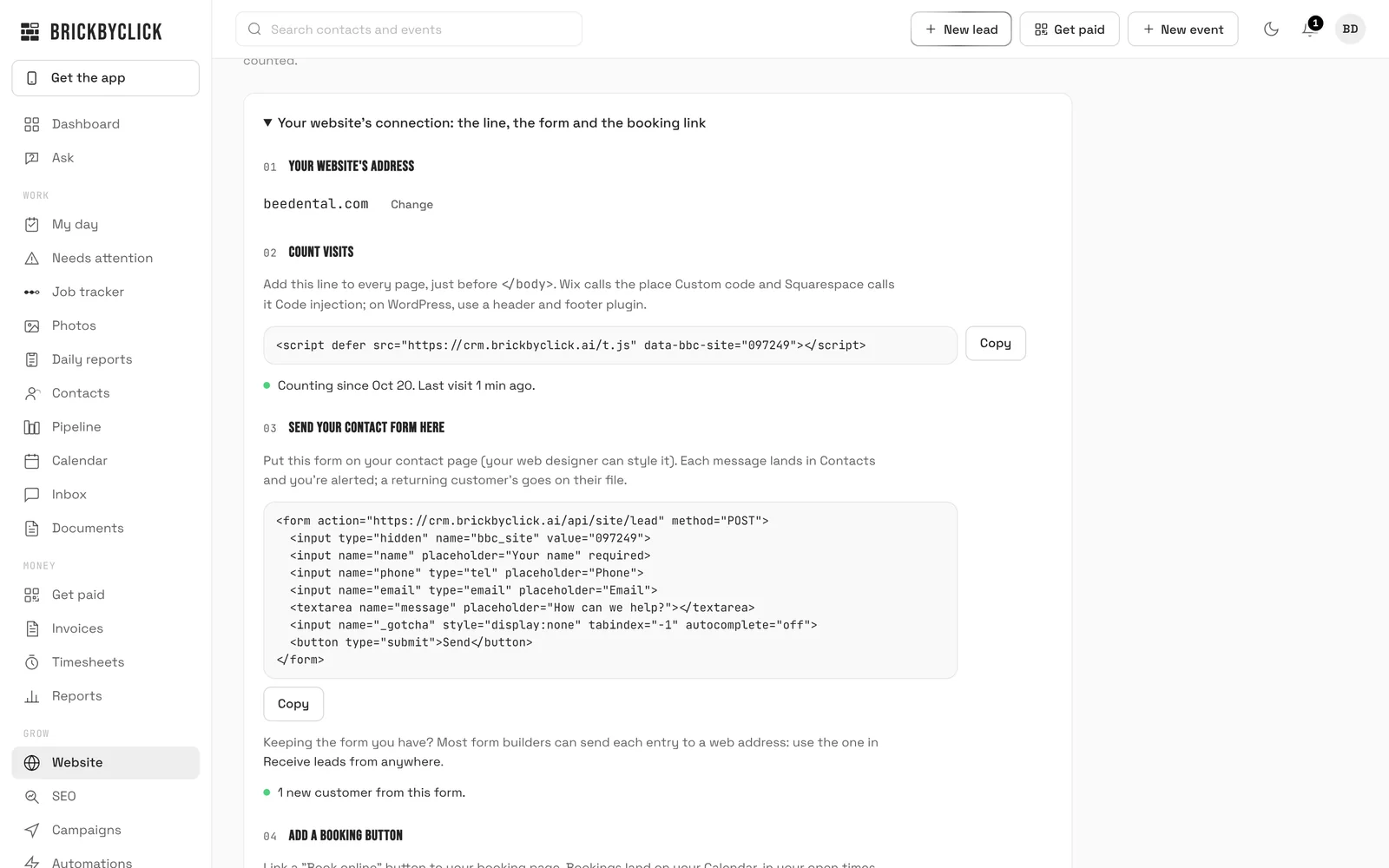
Usually it is missing service pages, town pages, a full Google profile or reviews, or calls are going to voicemail. You can keep it and connect it to the CRM to count visits and receive form messages, or have our team build a new one on Front Office and up. We do not edit sites built elsewhere.
Your own leads only pay if someone answers
With HomeAdvisor you race other pros to call back. With your own leads there is no race, but a missed call is still a lost job.
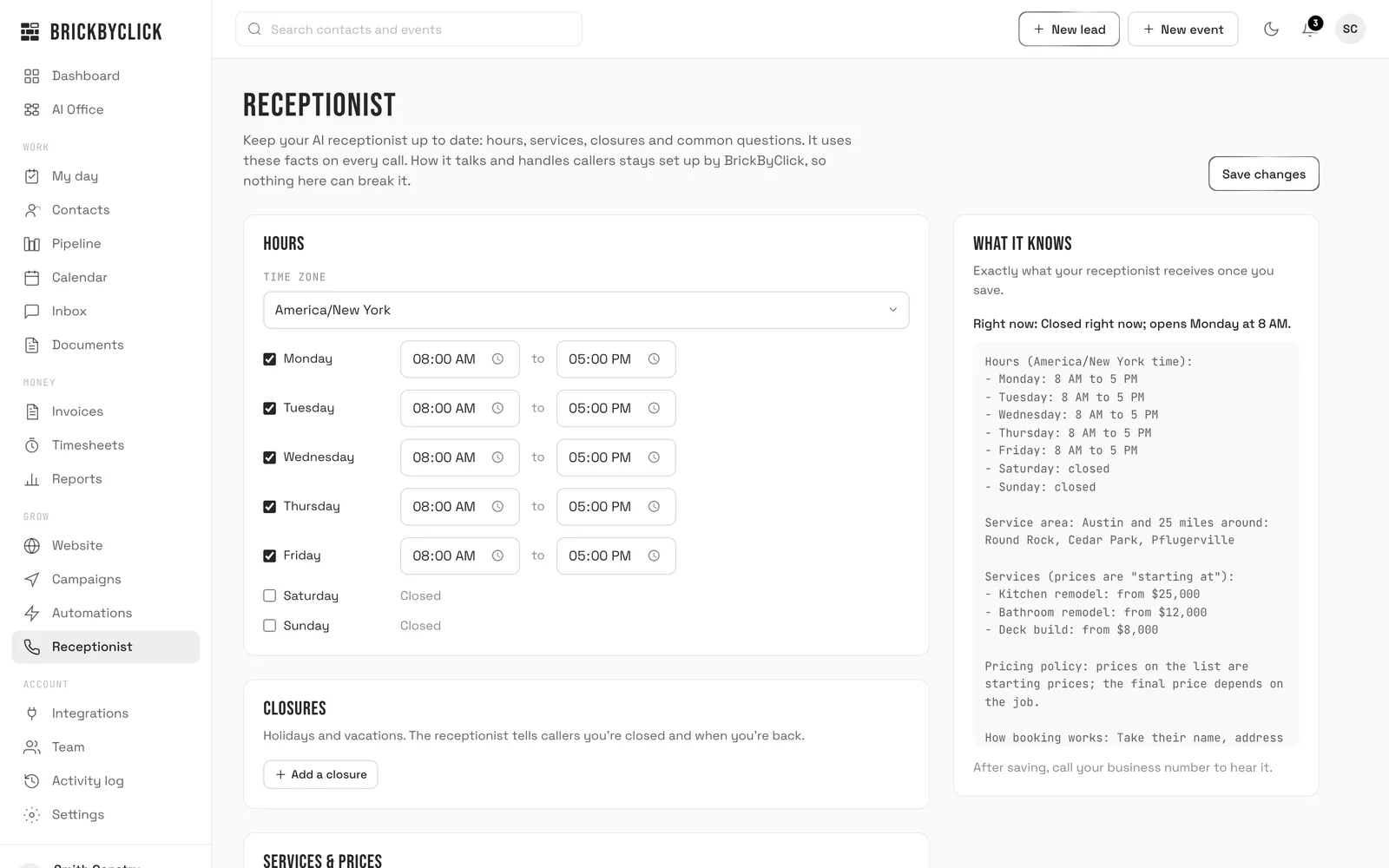
- The AI receptionist has its own local number; forward your line to it, for every call or only the ones you miss.
- It answers in your name from your hours, services and price rules, and books visits if you allow it.
- Every call lands in your Inbox with a summary and transcript, with an alert to you.
- Missed-call text-back turns on once your business number is registered with the phone carriers; we handle that during setup.
What does your own website cost compared with HomeAdvisor?
HomeAdvisor does not publish lead prices, so we do not print one. Your statements are the comparison. Ours are flat and month to month, in US dollars, with no setup fees:
- Starter, $99 a month: the CRM, with a free website on a brickbyclick address you fill in and edit yourself. No receptionist, texting, own domain or SEO.
- Front Office, $399 a month: 10+ page website on your domain built by our team, AI receptionist (500 minutes of AI talk time a month), CRM, estimates, invoices and payments.
- Growth, $599 a month: adds local SEO, Google profile management, listings, a blog post a month, email campaigns and a monthly strategy call. This is the plan that replaces lead buying.
- Total Growth, $999 a month: adds 1,000 receptionist minutes, 2 posts a month, link building, unlimited pages and an account manager.
Card payments carry Stripe’s processing fee plus 0.5% per payment (maximum $25); bank payments carry no BrickByClick fee. Compare plans.
HomeAdvisor vs your own website, by trade
- Electricians: panel upgrade and EV charger pages. See HomeAdvisor alternative for electricians.
- Plumbers: emergency searches at all hours. See plumbers.
- HVAC: seasonal demand and yearly service reminders. See HVAC.
- Roofers and general contractors: big, slow decisions where your own reviews and photos matter most. See contractors.
- Cleaners, landscapers and other service businesses: BrickByClick serves 30+ industries; the same comparison applies wherever you buy leads.
What we will not promise
- No ranking, call count or date. Google decides, and it takes months.
- No “close rate” figures. We do not publish them; yours depend on your price, market and follow-up.
- No lead sales. BrickByClick is not a marketplace and does not connect to HomeAdvisor or Angi.
- No SEO below Growth. Front Office has the website and receptionist; SEO starts at $599.
- No texting on day one. It turns on once your number is registered with the phone carriers.
Questions people ask
Is HomeAdvisor worth it for contractors?
Is a website better than HomeAdvisor?
How do I calculate my HomeAdvisor cost per job?
How much do HomeAdvisor leads cost?
Are HomeAdvisor leads shared?
How long does it take a website to replace HomeAdvisor?
What does my own website cost compared with HomeAdvisor?
My website gets no leads. Why would a new one be different?
Can I use HomeAdvisor and my own website at the same time?
Do I own my website with BrickByClick?
Should a new business use HomeAdvisor?
Is this only for contractors?
Bring your HomeAdvisor numbers
Take fifteen minutes with us. We will work through your cost per job won and show you what your own website, Google profile and receptionist would need to bring.