Limited-time price: Front Office at $249/month, locked for 12 months. Sign up by November 30. See the plan

Your Website ID

Enter the ID from your email to open your preview website, or to hear your AI receptionist answer as your business.

Business reports and AI insights

Know your numbers. Every month, without the spreadsheet.

On the 1st, BrickByClick reads last month's records and emails you a report: what came in, what each job made, where your customers came from, where things are heading, and what to work on next. Every number comes from your own CRM, and the AI's list is checked against them before you see it.

  • On every plan, Starter included
  • PDF, Excel or CSV
  • Your data, never estimated

The monthly report

Your month, in your inbox on the 1st.

At 8 AM on the 1st, your time, the owner gets last month's report by email, with the full report attached as a PDF. It's also in Reports, where any past month can be opened, downloaded or made again.

  • Money collected, profit and margin, against the month before and the same month a year earlier
  • What to work on next: money past due, quotes waiting, jobs running over on hours, work that made the least
  • Jobs finished, with what each one made, and margins by kind of work
  • Where customers and money came from, hours by person, calls answered, website visitors, ratings and campaigns
  • Google search, with Search Console connected (Front Office and up): clicks, your average spot, the keywords you track and your top searches
  • What's coming up: money owed, accepted work not billed yet, quotes waiting, and how booked the crew is
crm.brickbyclick.ai/reports/monthly
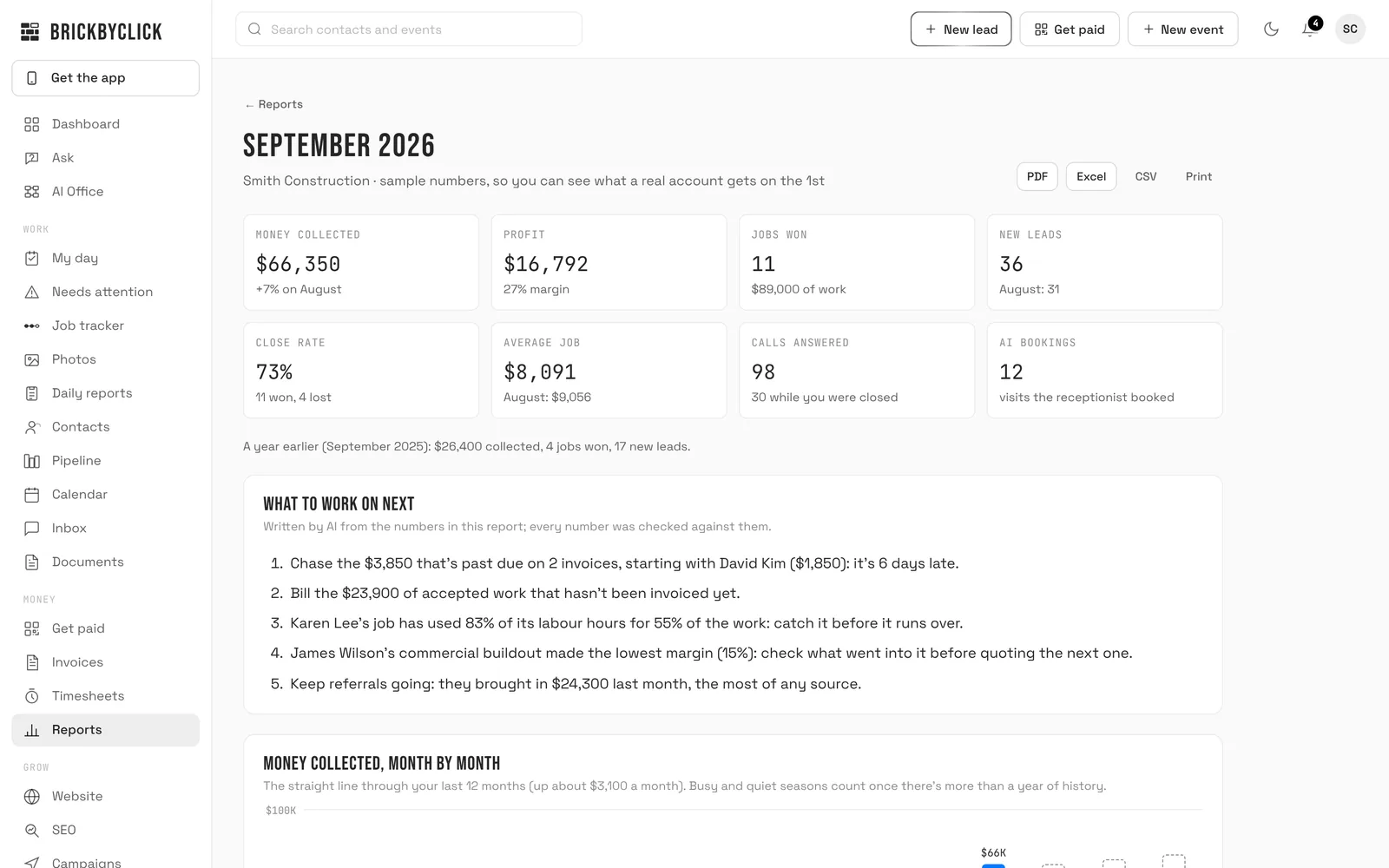
The September monthly report for a sample business: $66,350 collected, up 7% on August, $16,792 profit at a 27% margin, 11 jobs won, 36 new leads, and a list of five things to work on next

The sample report from the live demo. Open it (opens in a new tab) or download the PDF.
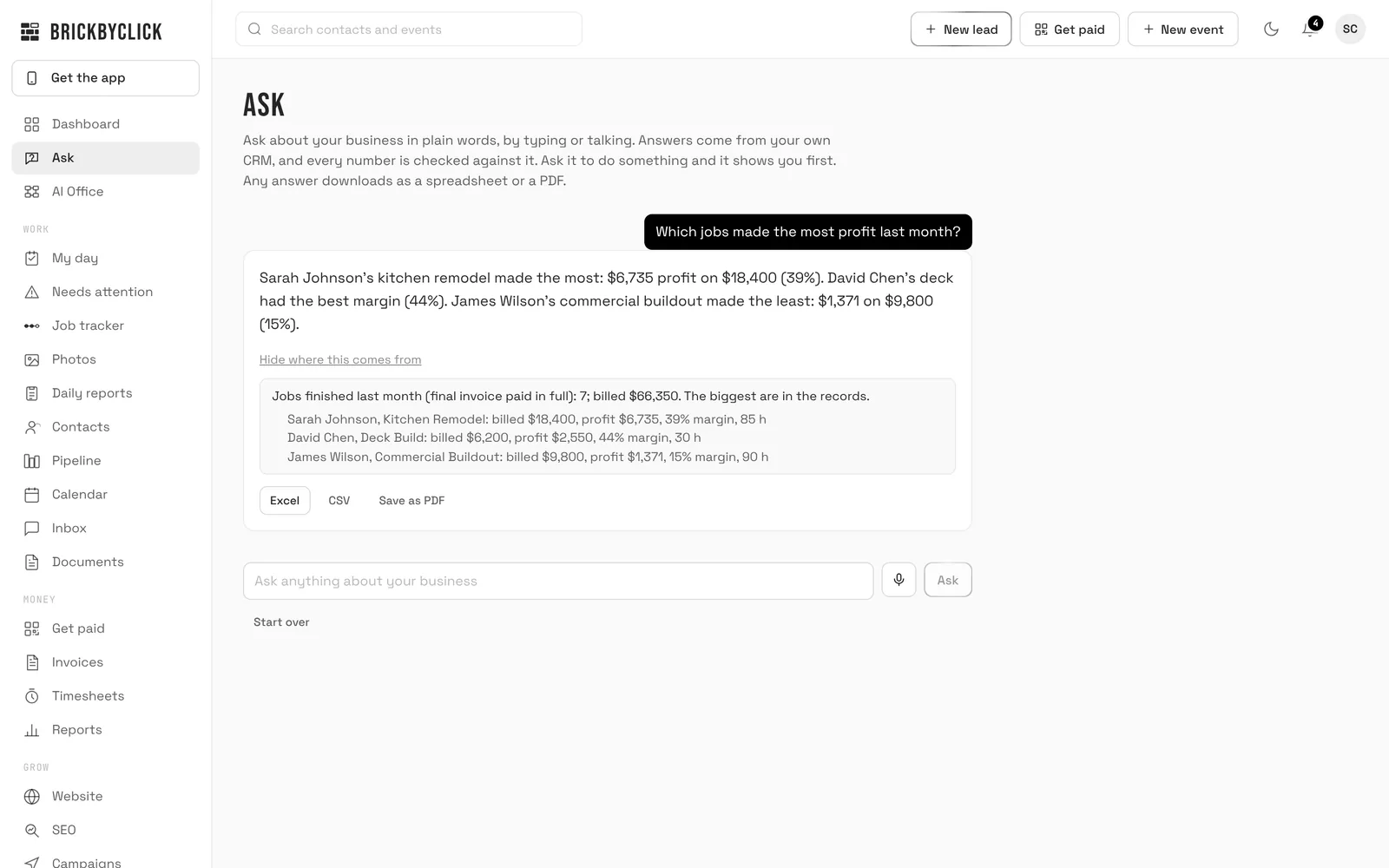
Ask

Ask your numbers in plain words.

Type or say a question: "Which jobs made the most profit last month?", "Who's over on hours?", "How are we trending this year?", "This month against last month". The answer comes from your records, with the customers and jobs it used one tap away.

  • Covers money, jobs and profit, hours, job pace, receipts, ratings, the website, campaigns, daily reports and trends
  • Every number in an answer is checked against your records; if an answer doesn't check out, you're shown the records themselves instead
  • Download any answer: the table behind it as Excel or CSV, or the whole answer as a PDF
  • Ask it to do something, like resend an invoice, and it shows you first and waits for your yes
crm.brickbyclick.ai/ask
Ask, answering which jobs made the most profit last month: a kitchen remodel made $6,735 on $18,400, a deck had the best margin at 44%, with the jobs it used and buttons to download as Excel, CSV or PDF

Profit on every job

Which work pays, and which doesn't.

How job costing works

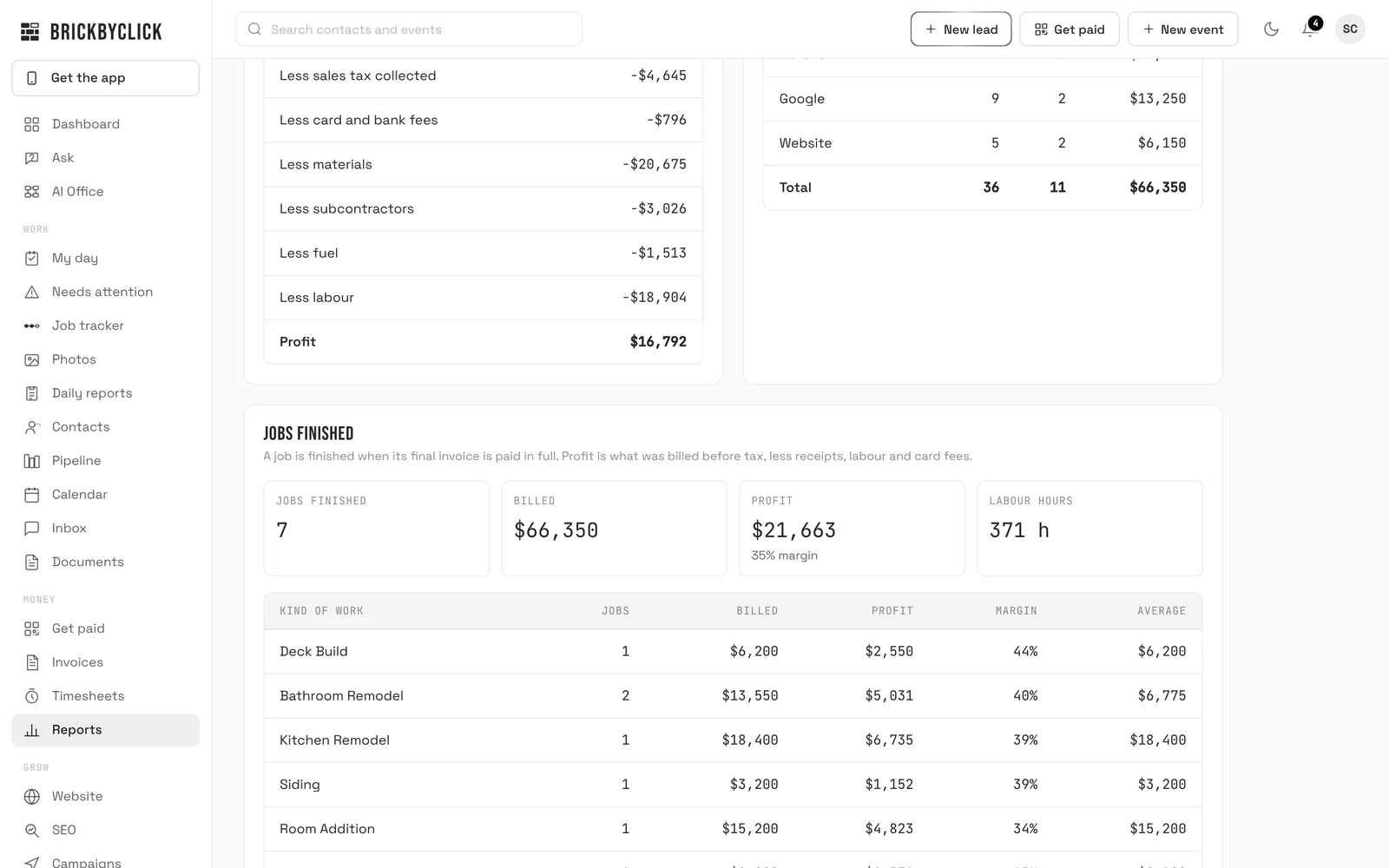
A job counts as finished when its final invoice is paid in full. Its profit is what you billed before tax, less the receipts on it, the hours worked at each person's cost per hour, and card fees. The report lines them up, and groups them by kind of work, so you can see where to raise a price.

crm.brickbyclick.ai/reports/monthly
Jobs finished in the sample report: 7 jobs, $66,350 billed, $21,663 profit at a 35% margin, 371 labour hours, and a table of margins by kind of work from deck builds at 44% to room additions at 34%

How the numbers are counted

The same rules everywhere in the CRM, so the report, the dashboard and Ask never disagree.

Money

Collected is invoices marked paid that month. Profit is cash basis: paid in, less sales tax, card fees, receipts dated that month and labour from the time clock. It's for running the business, not your books.

Jobs and leads

New leads are real enquiries: imported customers and jobs logged after the fact don't count as new. Close rate is jobs won against jobs won and lost in the month.

Projections

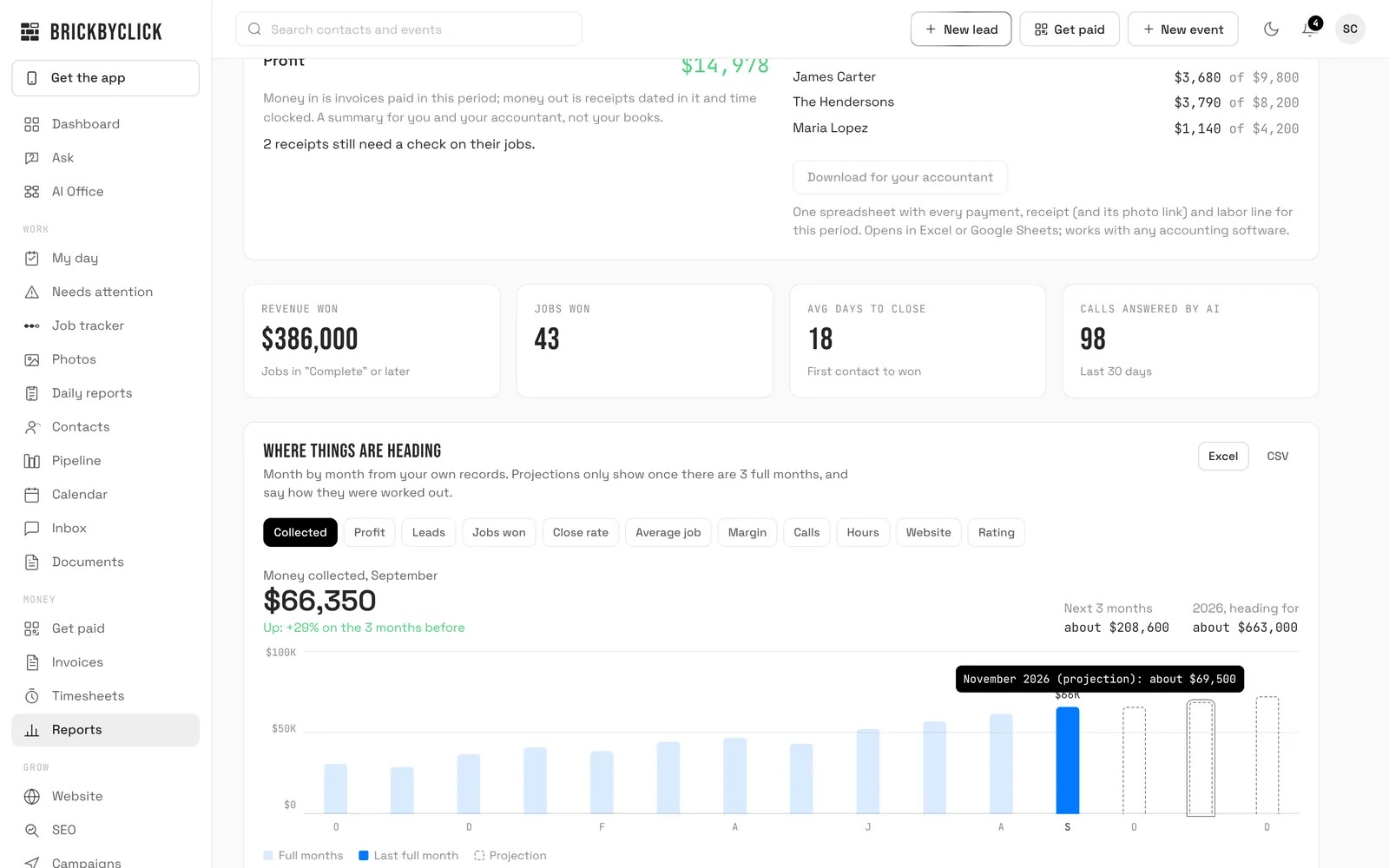
Only from full months, never below zero, rounded because they're estimates, and always with the way they were worked out written next to them.


Questions

Where do the numbers come from?
From your own CRM records: invoices paid, receipts, hours on the time clock, leads, jobs won and lost, calls, ratings and website visits. Nothing is estimated or pulled from somewhere else. The AI only writes the "what to work on next" list, from numbers already counted, and every number it writes is checked against them before you see it. If the check fails, the list is written straight from the numbers instead.
Do I need a year of history?
No. The report works from your first full month. Trends start once there are 3 full months of records, a straight-line projection needs about 6, and busy and quiet seasons are taken into account once there's more than a year. Imported customers and past jobs count from their real dates. Money you collected and spent before BrickByClick can be brought in from a spreadsheet, with every row checked so nothing is counted twice. How it works.
Does it replace my accountant?
No. The money summary is cash basis, for running the business: invoices paid, less sales tax, card fees, receipts and labour. Your accountant uses "Download for your accountant", one spreadsheet of every payment, receipt and labour line that works with any accounting software. You can also send job receipts to QuickBooks Online with the photo attached.
Who sees the reports?
The owner and office staff. Techs don't see reports or profit.
Which plans include it?
Every plan, Starter included: the monthly business report, trends and projections, Ask and the downloads. On Starter there's no AI receptionist, so the calls section stays empty. See the plans.
Can I turn off the email?
Yes. It's the "Monthly business report" switch on the Automations page. The reports stay in Reports either way, and you can make any past month's report again from the records as they are now.

See your own numbers

Fifteen minutes. We'll show you the monthly report, the trends and Ask on a business like yours.