Calls answered. Jobs run. Money in.
BrickByClick is the AI front office for local service businesses. An AI receptionist answers every call and books the job. Your crew runs the day from their phone. Customers pay on the spot, and the invoice marks itself paid.
- No setup fees
- Month to month
- Live in about 2 weeks
One day with BrickByClick
Here's what a normal day looks like once the office, the crew and the money run through one place.
-
A customer calls before you're up.
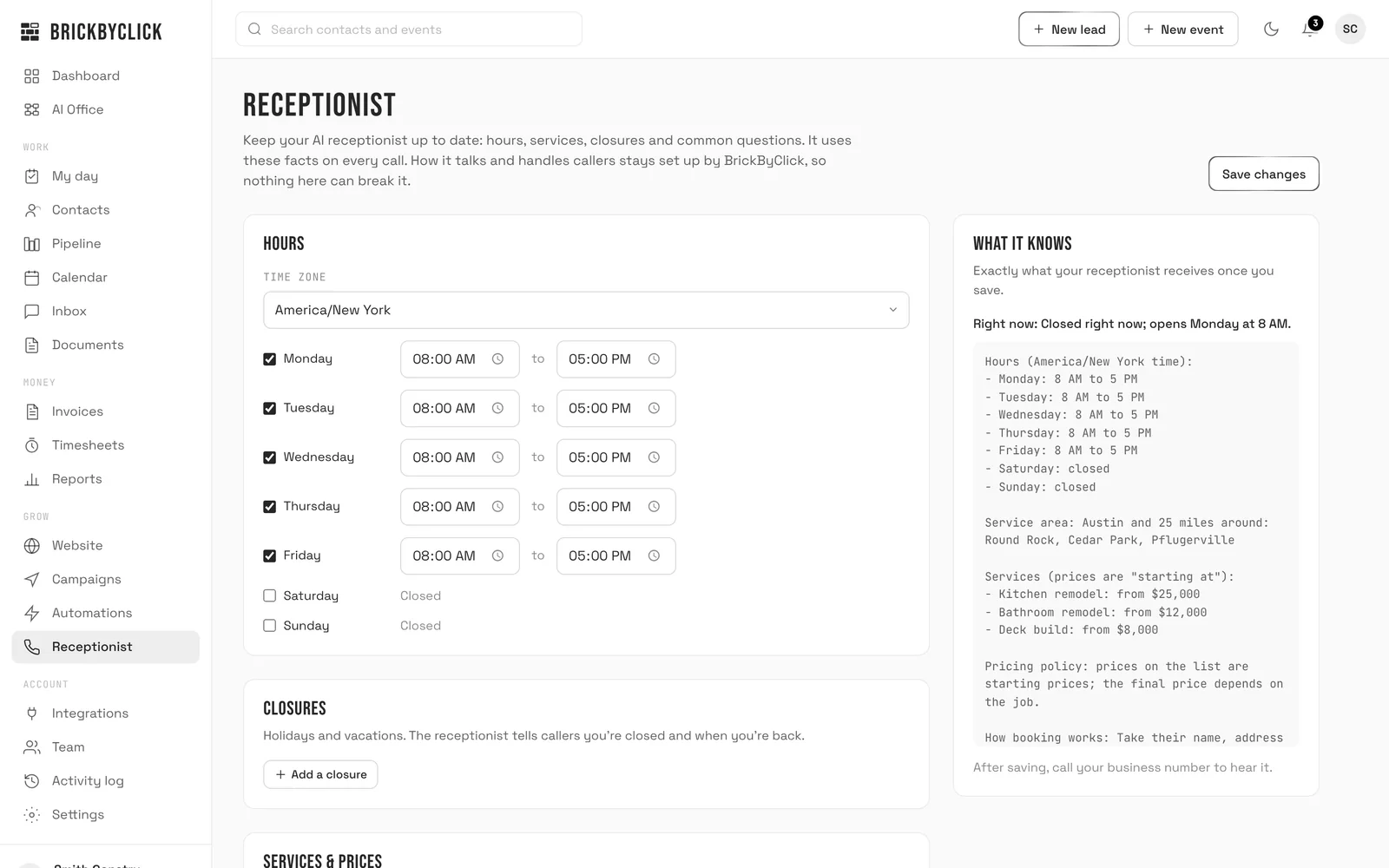
Your AI receptionist answers. It knows returning callers by name, knows their next visit, and books new work into your calendar using your hours, services and prices. You wake up to a booked job, not a voicemail.
AI7:02 AM · 1:48Gina LopezWater heater leaking in the basement. Booked Saturday at 10:00 AM with Jake. Returning customer.
Booked -
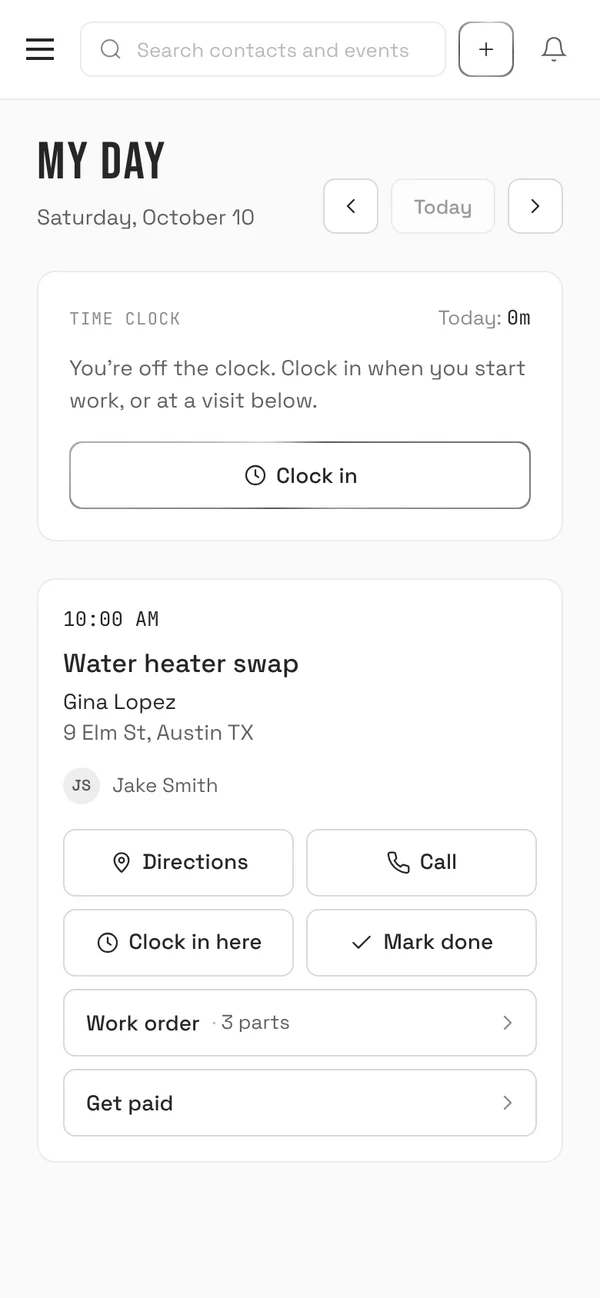
Your crew opens My day.
Each tech sees their visits on their phone: the customer, the address with directions, your notes, and the equipment on site. One tap clocks them in.
-
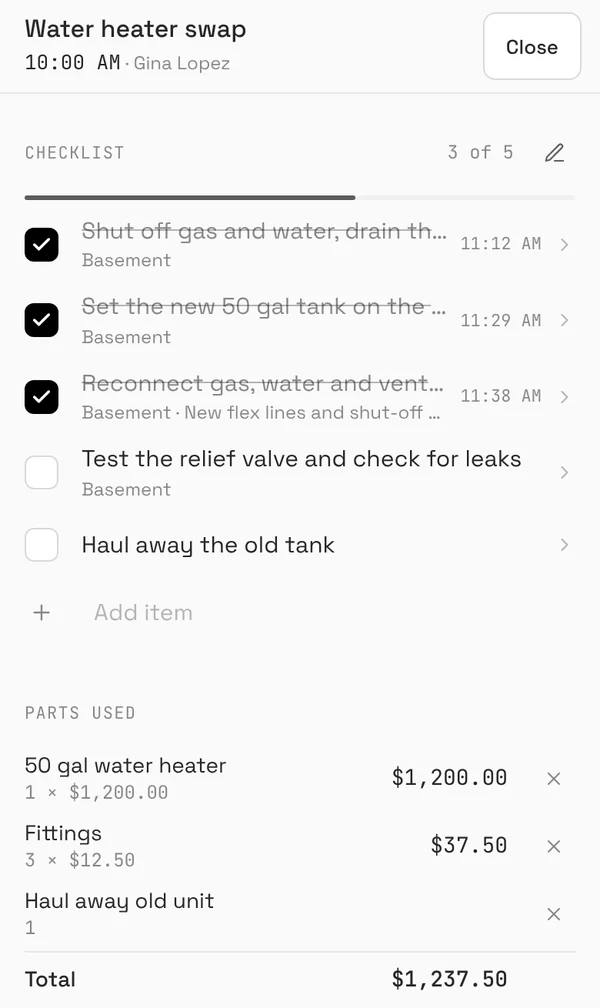
The work order fills in on site.
Checklist or punch list, parts and materials used, photos of the work, and the customer's signature, all saved on the visit. Nobody rewrites it at the kitchen table that night.
-
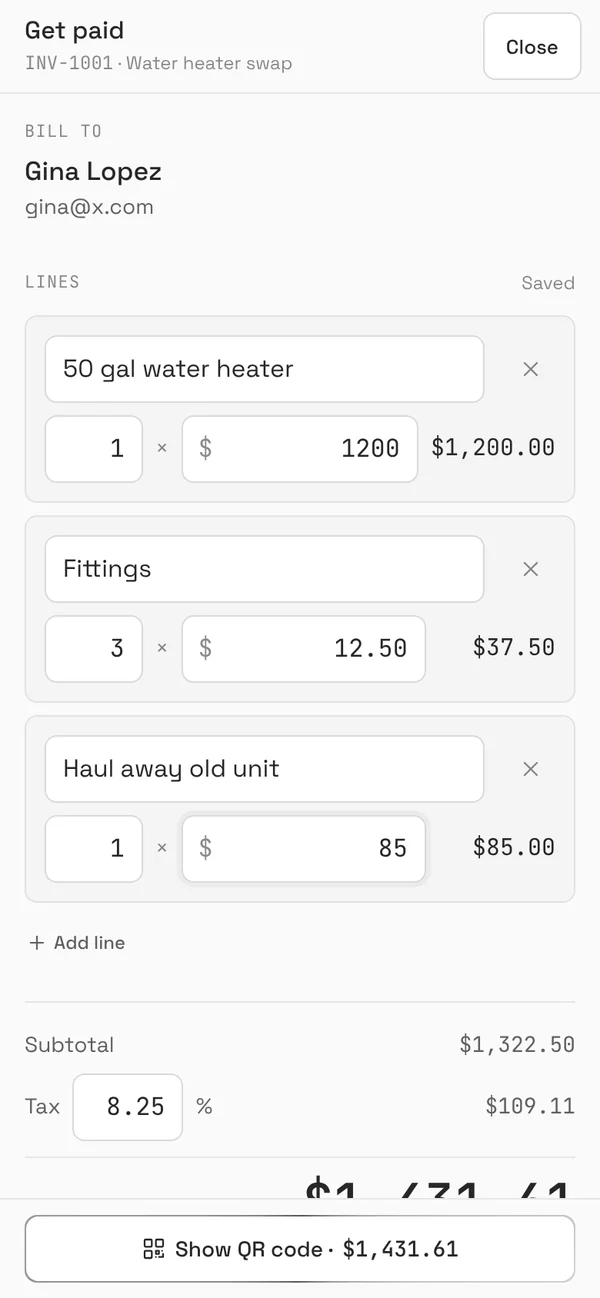
Get paid before the truck leaves.
Tap Get paid and the invoice fills in from the parts used. Adjust the price, show the QR code, and the customer pays on their own phone by card or from their bank. Cash or a check? Record it in one tap.
-
You get the email.
The invoice marks itself paid, the job moves to won, and the review request goes out the next day. No chasing, no "did they pay yet?".
BrickByClick · 12:57 PMYou got paid: $1,431.61 from Gina Lopez (INV-1001)The invoice is paid in full and marked paid in your CRM. -
Your week, in one email.
What got paid, what your receptionist booked, and how many calls it answered while you were closed. Read it in a minute, then go home.
BrickByClick · Fri 4:00 PMYour week: $8,940 collected- $8,940 collected on 7 paid invoices
- 11 appointments booked by your AI receptionist
- 38 calls answered, 9 while you were closed
Everything in one place
One login for the office and one app for the crew. No stack of tools that don't talk to each other.
Front desk
For every caller, day and night
- AI receptionist answers 24/7 in your business's voice
- Knows returning callers and their booked visits
- Books, moves or cancels visits within your rules
- Every call logged to your Inbox
Office
For you and whoever answers the phone
- Contacts and a pipeline by stage
- Calendar with repeating jobs
- Estimates customers accept online, with deposits
- Automatic follow-ups and review requests by email
Crew
On their phone, on site
- My day: visits, directions, notes
- Time clock and timesheets
- Work orders: checklists, punch lists, photos, signatures
- Equipment history at each customer
Money
Collected, not chased
- Card and US bank payments on every invoice
- Get paid on site with a QR code
- Invoices mark themselves paid
- An activity log of who changed what
Want more calls in the first place? The Growth plan adds local SEO, your Google Business Profile and a website built to rank.
Don't take our word for it
That's our own AI receptionist. Ask what we do, what it costs, or book a demo. It's the same system your customers would talk to.
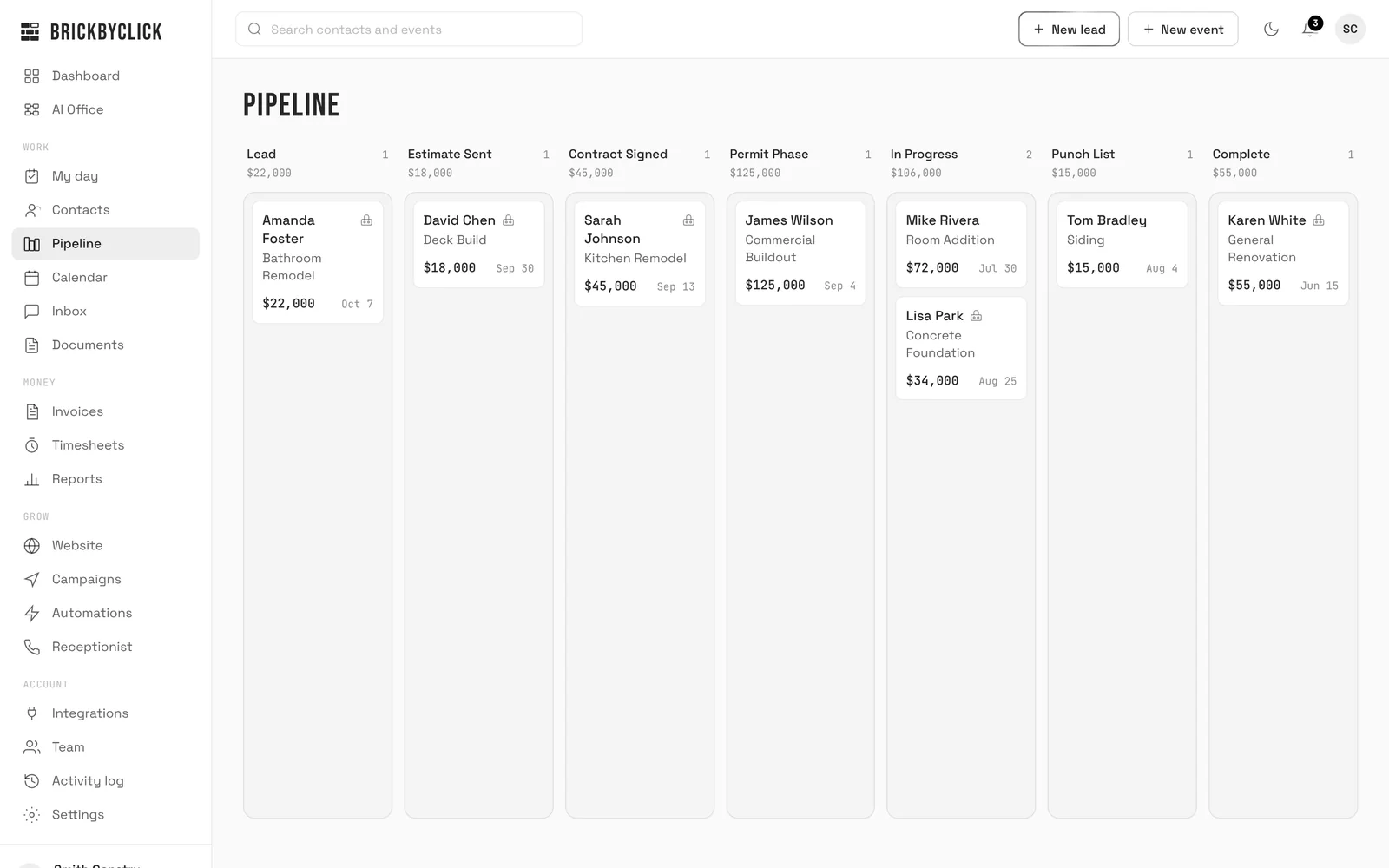
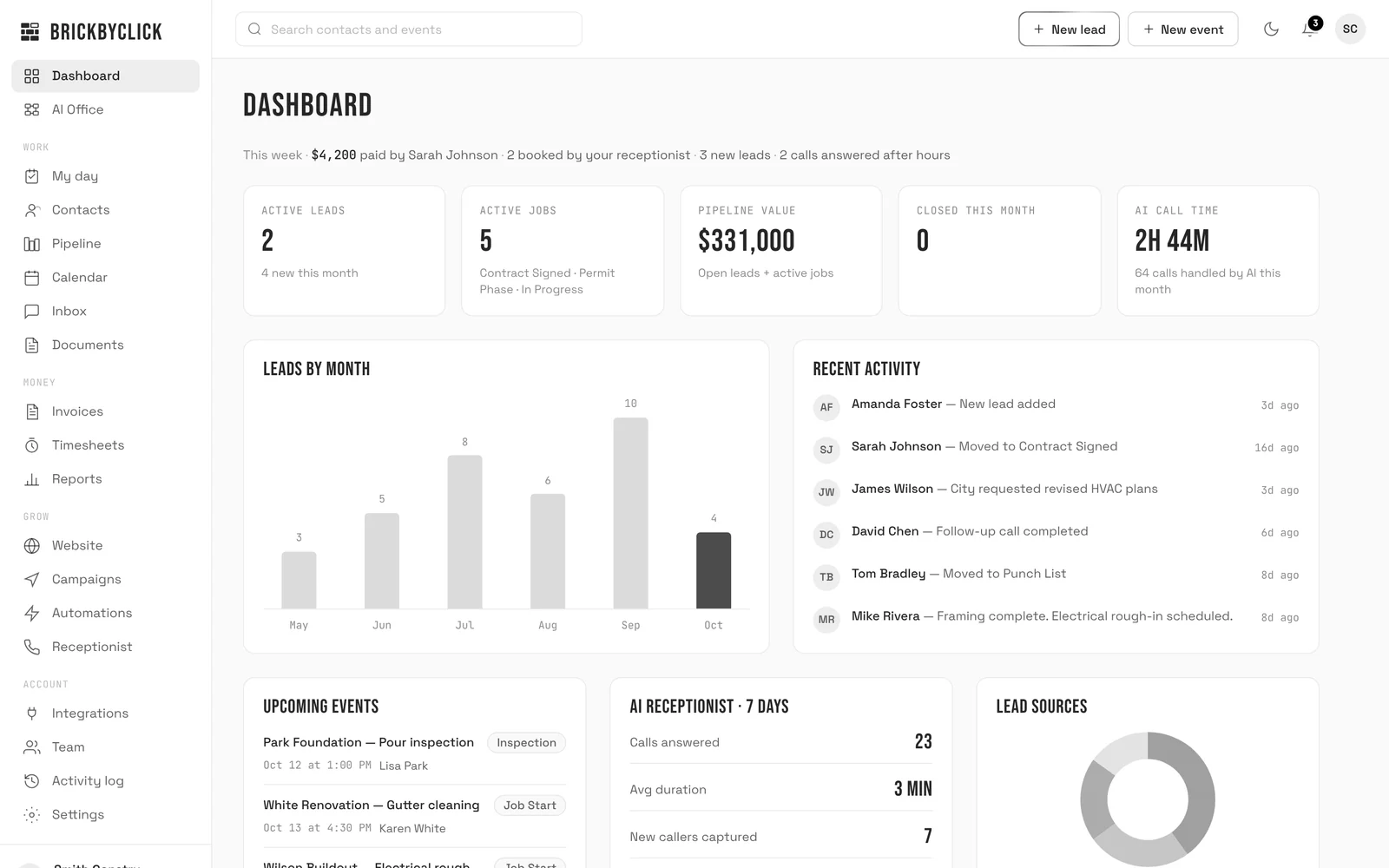
The real CRM with sample data: the pipeline, the calendar, My day, invoices. Nothing to install.
Pricing
Month to month. No setup fees. Cancel any time.
Front Office
Start hereThe AI receptionist and the CRM that runs the job and collects the money.
- AI receptionist, 500 minutes a month
- CRM for the office: contacts, pipeline, calendar, inbox
- Estimates, invoices and online payments
- Crew app: My day, time clock, work orders, Get paid
- Automatic follow-ups and review requests by email
- Website, 10+ pages, hosting and SSL
Growth
Front Office, plus the local marketing that brings in more calls.
- Everything in Front Office
- Local SEO and on-page optimization
- Google Business Profile setup and management
- 25 citations
- 1 blog post a month
- Email campaigns
- Monthly strategy call
Total Growth
Everything we do, with more AI minutes and a dedicated account manager.
- Everything in Growth
- AI receptionist, 1,000 minutes a month
- 2 blog posts a month
- Backlink building
- Unlimited website pages
- Dedicated account manager and priority support
All prices are in US dollars. Extra AI receptionist minutes: $0.10 a minute.
Online payments: Stripe's standard processing fees, plus 0.5% per card payment (at most $25). No BrickByClick fee on bank payments.
Text messaging is coming soon. Compare every feature.
Questions
Do I have to sign a contract?
How long until it's running?
What does it cost to take payments?
Can I keep my current website?
Will my crew actually use it?
Does it text my customers?
What kinds of businesses is it for?
Can I get my data out?
See it on your own business
Fifteen minutes. We'll show you the receptionist answering for a business like yours, and the CRM your crew would use tomorrow.