Limited-time price: Front Office at $249/month, locked for 12 months. Sign up by November 30. See the plan

Your Website ID

Enter the ID from your email to open your preview website, or to hear your AI receptionist answer as your business.

Estimates, invoices and payments

Quote it, bill it, get paid on the spot.

Describe the job and the estimate is drafted from your own price list. The customer accepts it on their phone, and the invoice is one tap away. They pay by card or bank, on site or later, and every payment lands in your own Stripe account.

  • On every plan, Starter included
  • Your own Stripe account
  • 0.5% per card payment, at most $25

Estimates

An estimate in a minute, priced from your list.

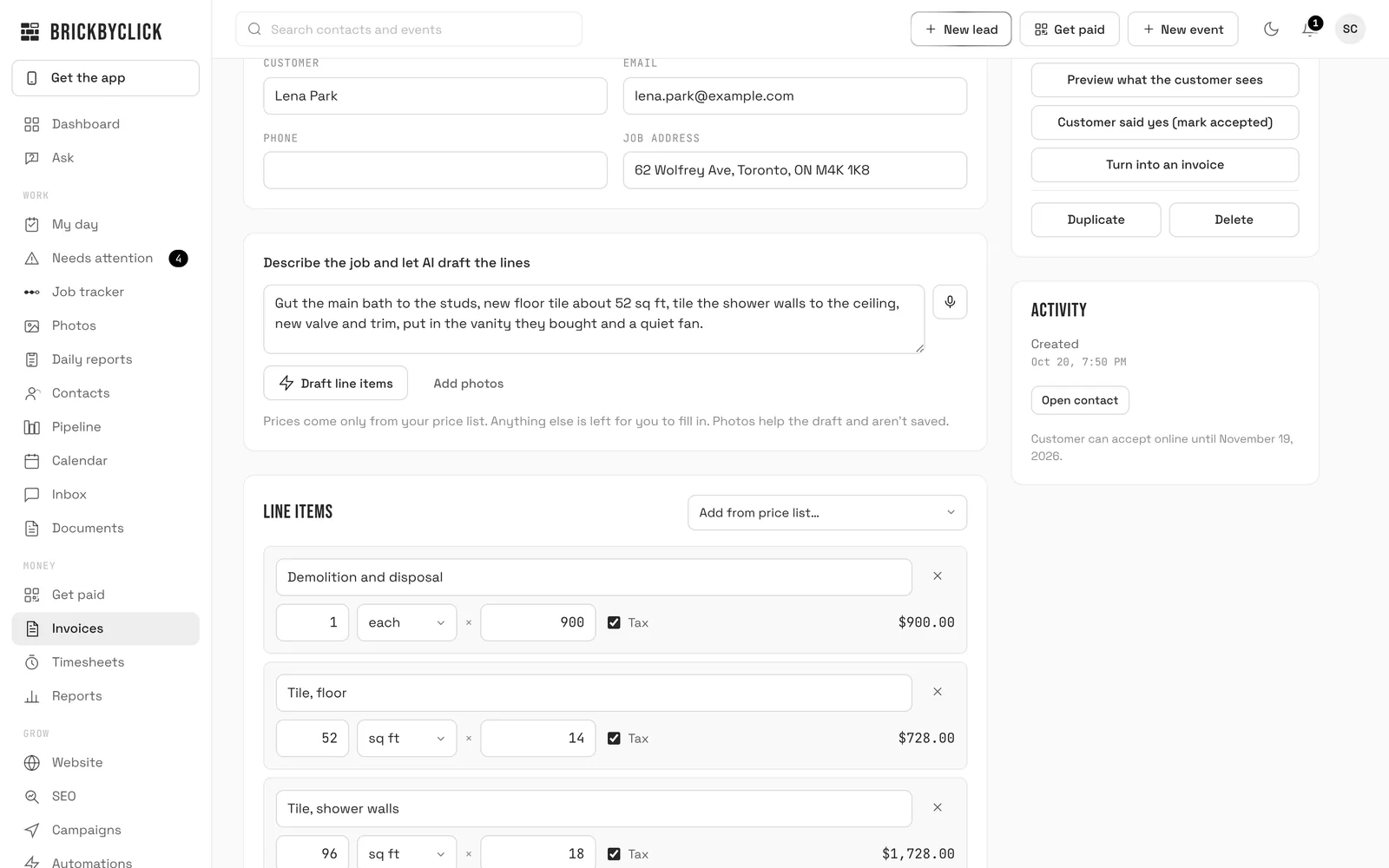
Type what the job is, say it, or add photos, and the lines are drafted from your price list with the quantities you mention. Check them, add a deposit to book, and send it.

  • Prices come only from your price list; anything that isn't on it is left for you to fill in
  • Your price list keeps your cost per item, so you see the margin and the customer never does
  • A deposit to book or a discount, and a preview of exactly what the customer sees
  • Quote follow-up emails 2, 5 and 10 days later, until they answer or the job moves, if you switch them on
crm.brickbyclick.ai/invoices
Writing a sample estimate for a bathroom remodel: the job described in a sentence above "Draft line items", and the line items below with quantities, units and prices

The customer's side

They read it and accept it on their phone.

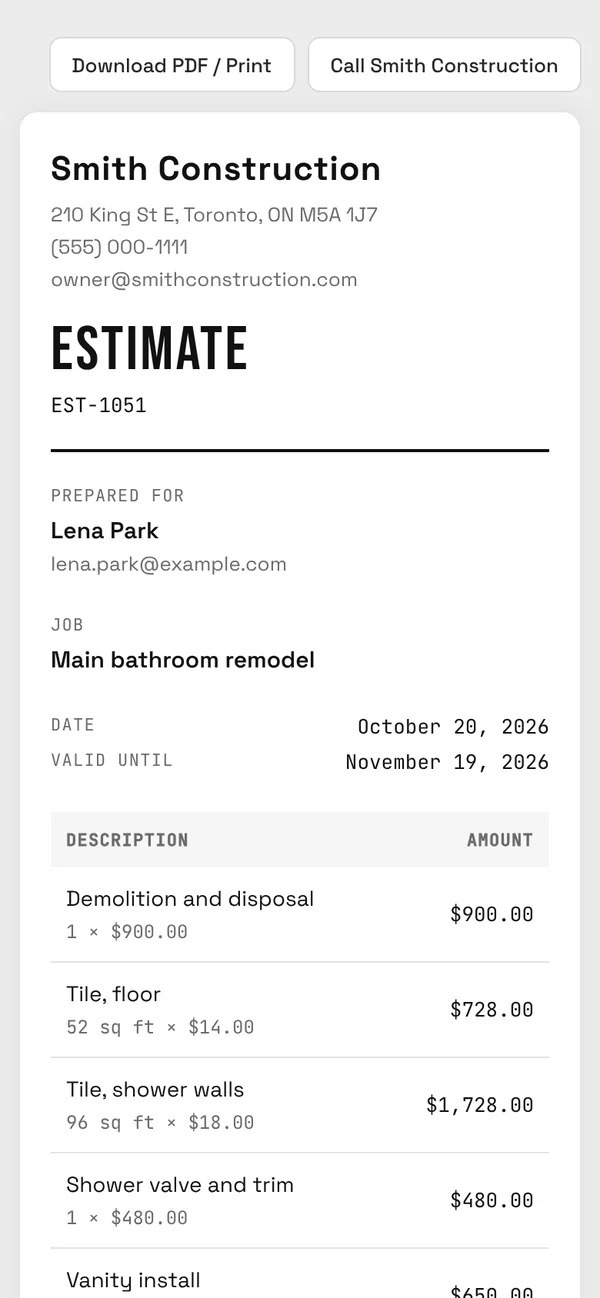
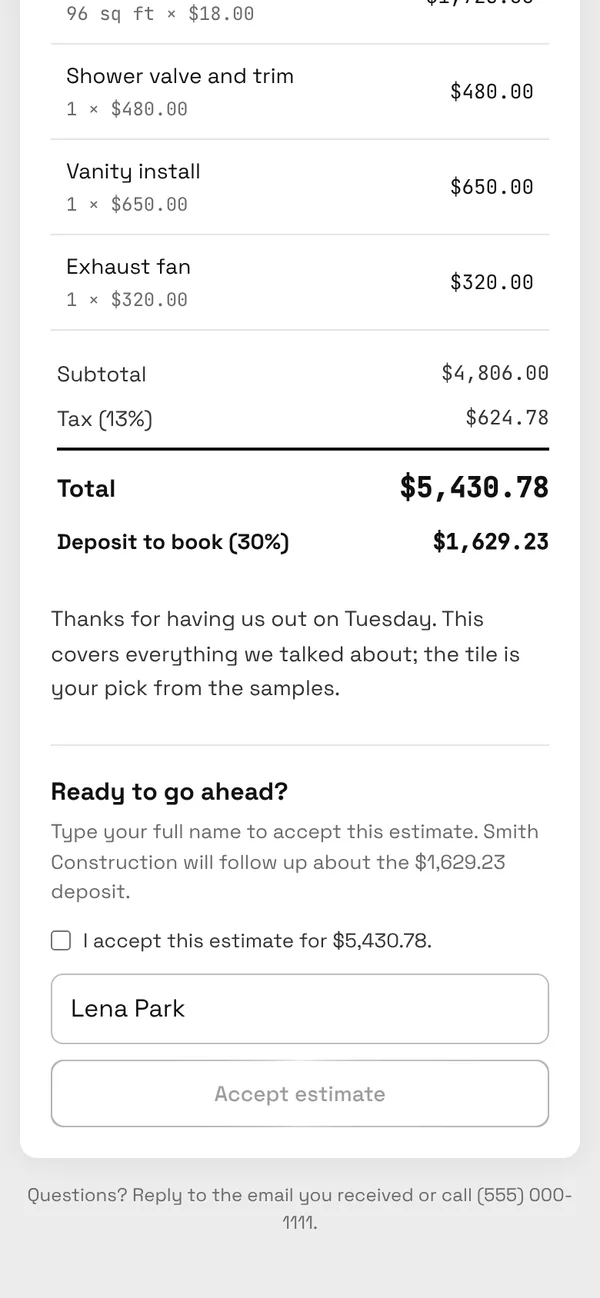
The estimate arrives as a link in an email from your business. They read every line, tick that they accept, type their name and tap Accept estimate. The deposit is spelled out before they do.

  • It shows as Viewed, then Accepted, in your CRM
  • The accepted estimate becomes the job's budget, for job costing
  • Turn it into a deposit invoice, or the full invoice, in one tap
  • Their private customer page keeps their estimates, invoices, visits and job photos together
A sample estimate on the customer's phone: Smith Construction's bathroom remodel estimate for Lena Park with each line and its price
The estimate, on the customer's phone.
The end of the estimate on a phone: the total, the 30% deposit to book, the business's note and the Accept estimate box with the customer's name
The total, the deposit and Accept.

Invoices and payments

Paid by card or bank, straight to your Stripe account.

Send the invoice and the customer pays from their phone. When the money comes in, the invoice marks itself paid and the job moves along on its own.

  • Card, Apple Pay, Google Pay and US bank (ACH) payments from the invoice page
  • Record cash, check, Zelle, Venmo, Cash App and other payments
  • Payment reminders on the due date and at 3 and 7 days late, if you switch them on; they stop once it's paid
  • Stripe's processing fees plus 0.5% per card payment, at most $25. Nothing from us on bank payments
crm.brickbyclick.ai/invoices
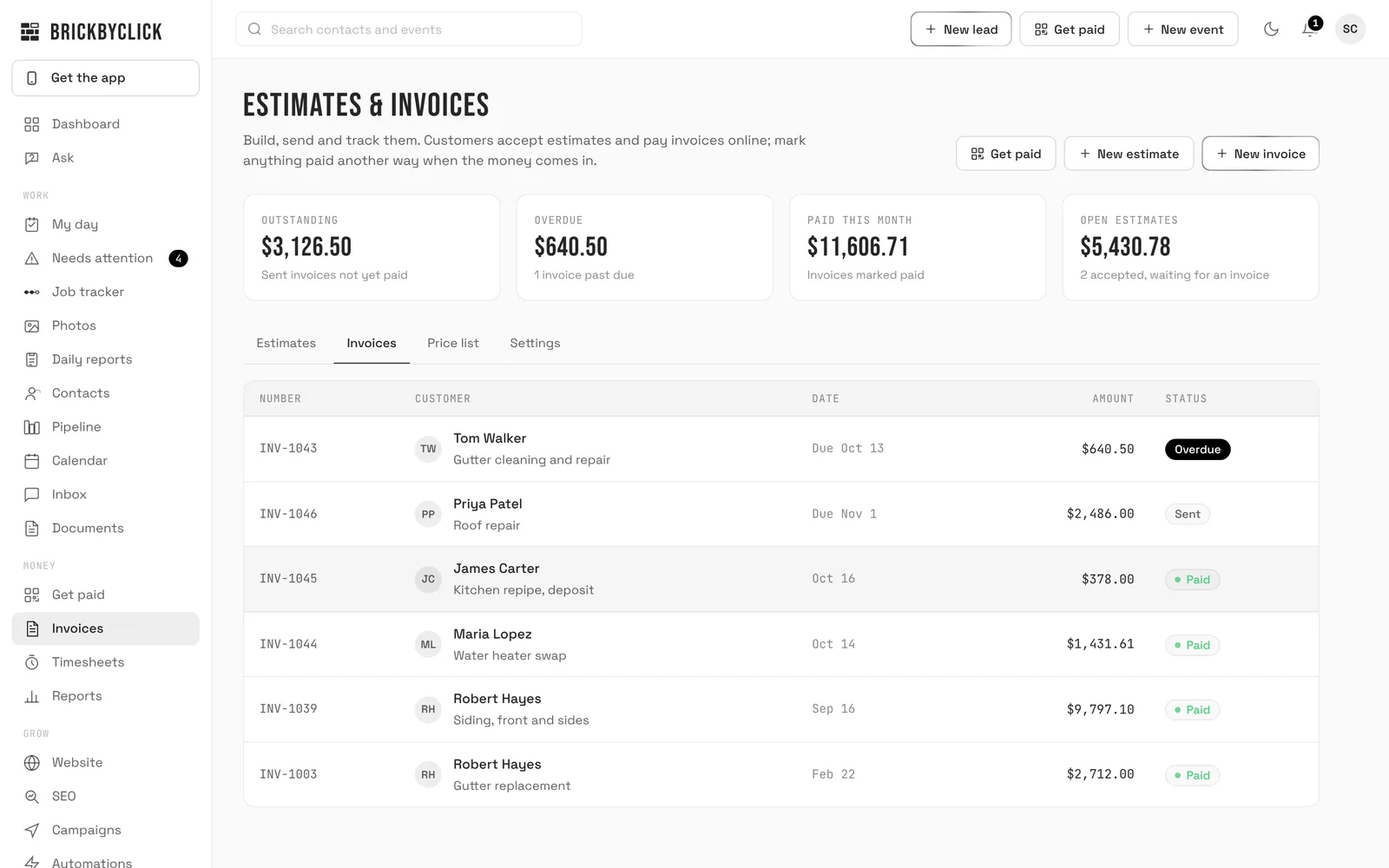
The invoices list with sample data: $3,126.50 outstanding, $640.50 overdue and $11,606.71 paid this month, with each invoice marked overdue, sent or paid

Get paid on site

Get paid before the truck leaves.

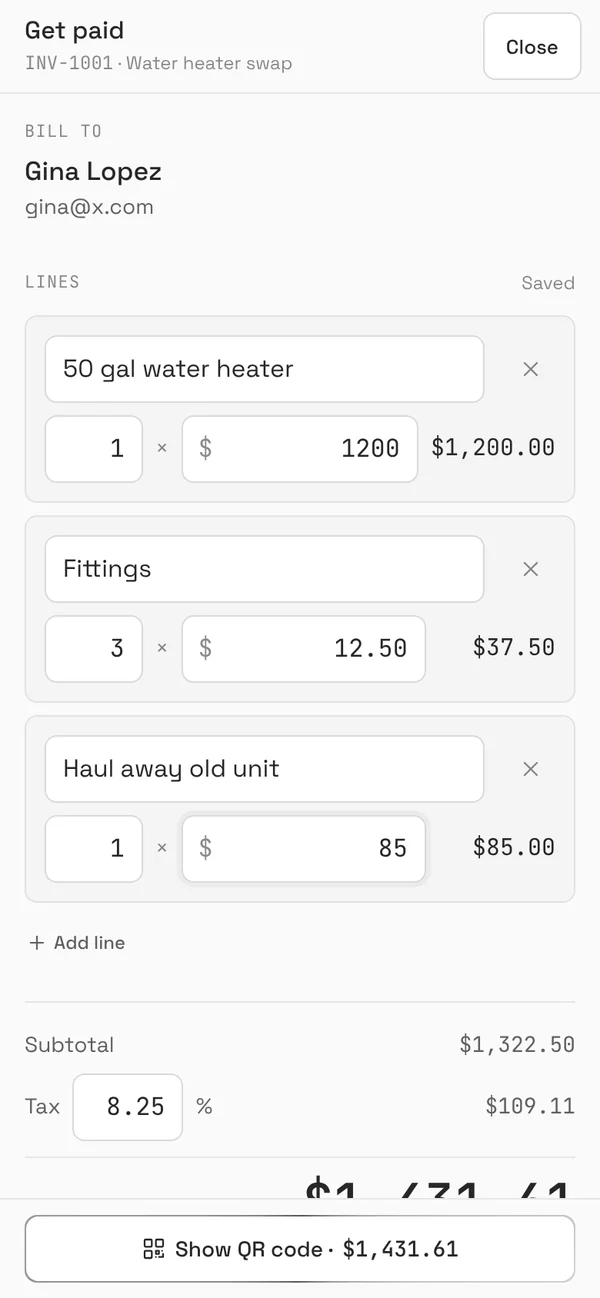
Tap Get paid on the crew's phone and the invoice fills in from the parts used on the visit. Adjust the prices, show the QR code, and the customer pays on their own phone.

  • By card, Apple Pay, Google Pay or from their bank, on their phone
  • Paid in cash or by check? Record it in one tap
  • Or email them the invoice to pay later
Get paid on the crew's phone: the invoice for Gina Lopez filled in from the parts used, with the prices ready to adjust
The invoice, from the parts used.
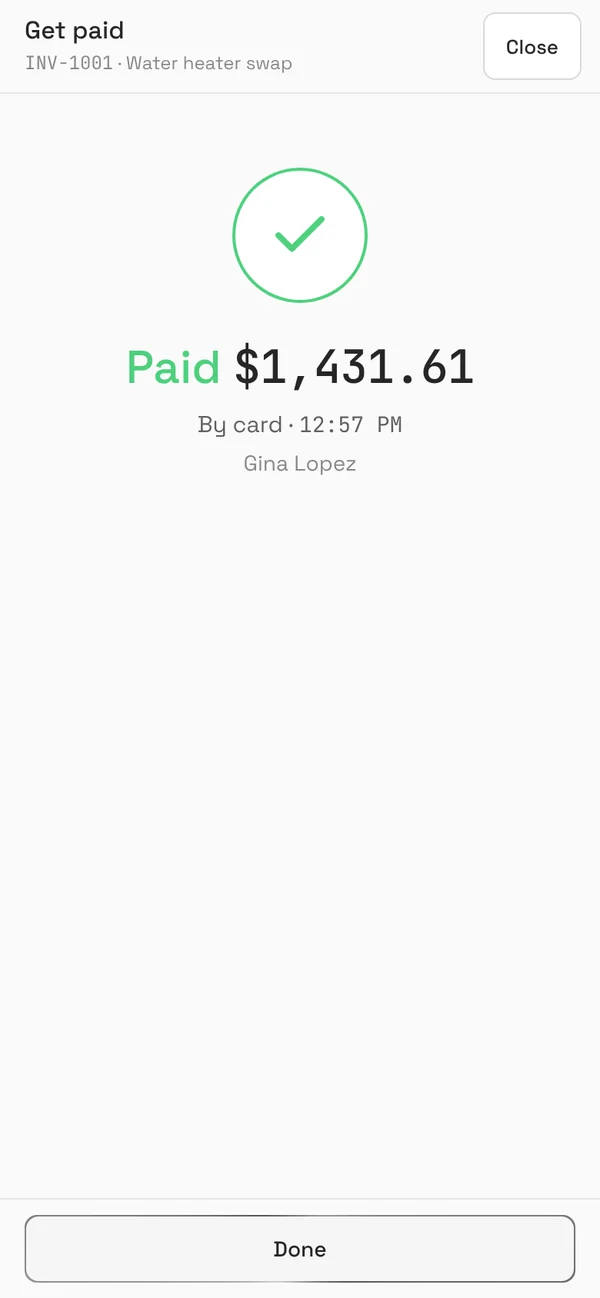
Get paid on the crew's phone after the customer paid: Paid $1,431.61 by card at 12:57 PM
Paid, before they leave.

Your books

Ready for your accountant.

How the business reports work

Every payment, receipt and labour line is in one place, so the books take minutes, not a weekend.

  • "Download for your accountant": one spreadsheet for any accounting software
  • Send job receipts to QuickBooks Online as expenses, with the photo attached
  • Money in and out, and profit, in Reports every month

Questions

Whose Stripe account does the money go to?
Yours. Customers pay through your own Stripe account, and Stripe pays it out to your bank on its normal schedule. We never hold your money.
What does it cost to take payments?
Stripe's standard processing fees, plus a BrickByClick fee of 0.5% per card payment, at most $25 a payment. No BrickByClick fee on bank payments.
Can the AI price a job?
It drafts the lines from what you describe, using your own price list and the quantities you mention. Prices come only from your price list: anything that isn't on it is left for you to fill in, and you check every estimate before it goes out.
Do my customers need an account?
No. They open the link in the email on any phone or computer, accept the estimate or pay the invoice there, and can download a PDF.
Do invoices go to QuickBooks?
Job receipts go to QuickBooks Online as expenses, with the photo attached. Invoices and payments aren't sent to QuickBooks. For your accountant, "Download for your accountant" gives one spreadsheet of every payment, receipt and labour line, for any accounting software.
Which plans include it?
Every plan, Starter included. See the plans.

See it on a job like yours

Fifteen minutes. We'll write an estimate from a job you describe, and show what your customer sees when they accept and pay.