Limited-time price: Front Office at $249/month, locked for 12 months. Sign up by November 30. See the plan

Your Website ID

Enter the ID from your email to open your preview website, or to hear your AI receptionist answer as your business.

Job tracker and follow-ups

Nothing slips through the cracks.

The Job tracker shows every job from the first call to paid, and marks what's waiting on you. Every hour, Needs attention finds the promises made on calls, quotes going quiet and work that wasn't billed. The follow-ups go out on their own.

  • On every plan, Starter included
  • Nothing to set up
  • Checked every hour

Job tracker

Every job, from the first call to paid.

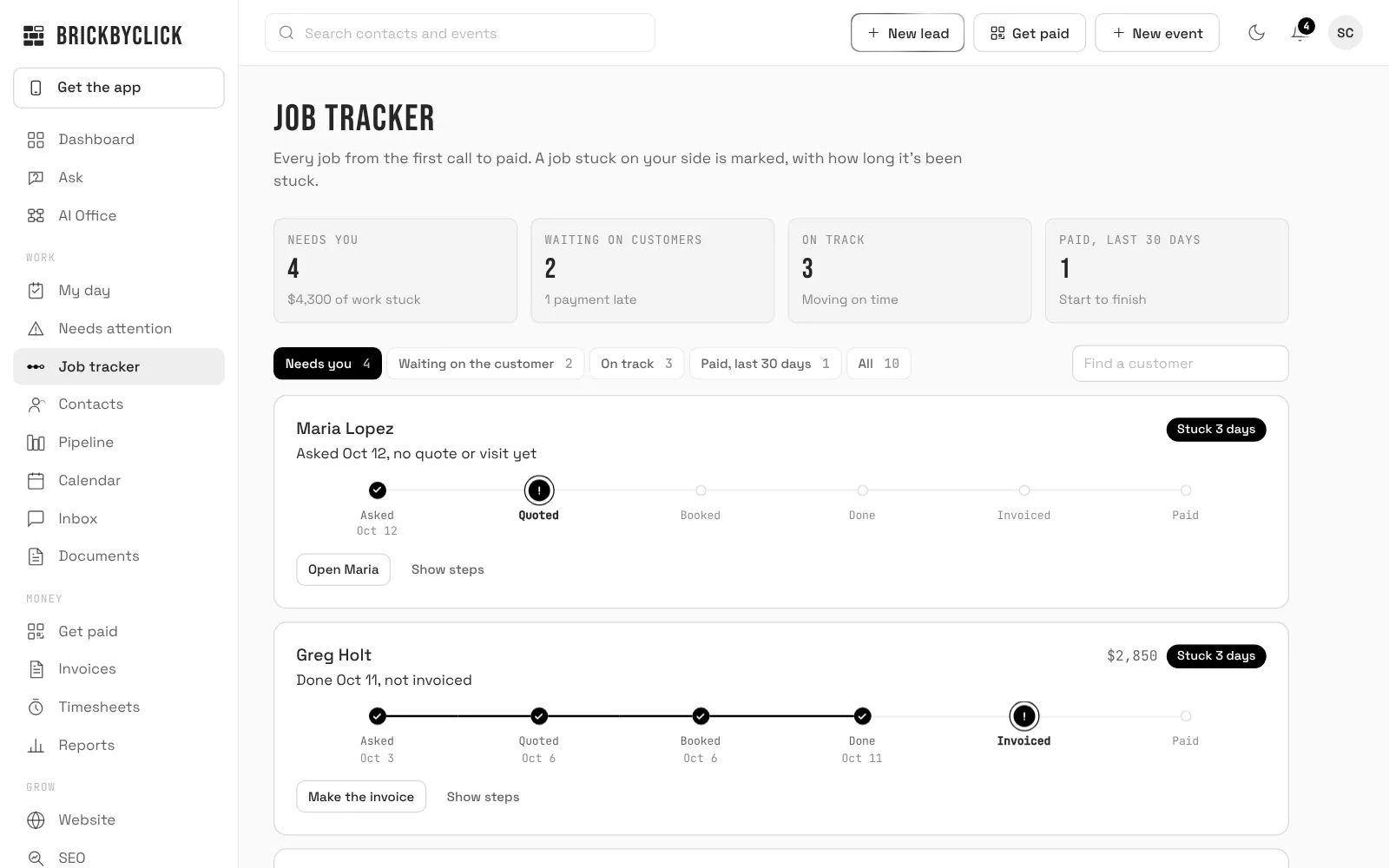
Each job sits on one line: Asked, Quoted, Booked, Done, Invoiced, Paid. It opens on the jobs where the next move is yours and it's late, with how many days each has been stuck and a button for the next step.

  • A caller with no quote or visit after 2 days
  • An approved quote with no visit booked, or a visit day that passed without being marked done
  • Finished work that isn't invoiced after 2 days
  • A customer who says they paid, waiting for you to confirm it
  • Waiting on the customer: quotes not answered and invoices not paid, with the late ones marked
crm.brickbyclick.ai/jobs
The Job tracker with sample jobs: every job from first call to paid, with four stuck on your side, including one finished but not invoiced

Needs attention

What's slipping, found for you every hour.

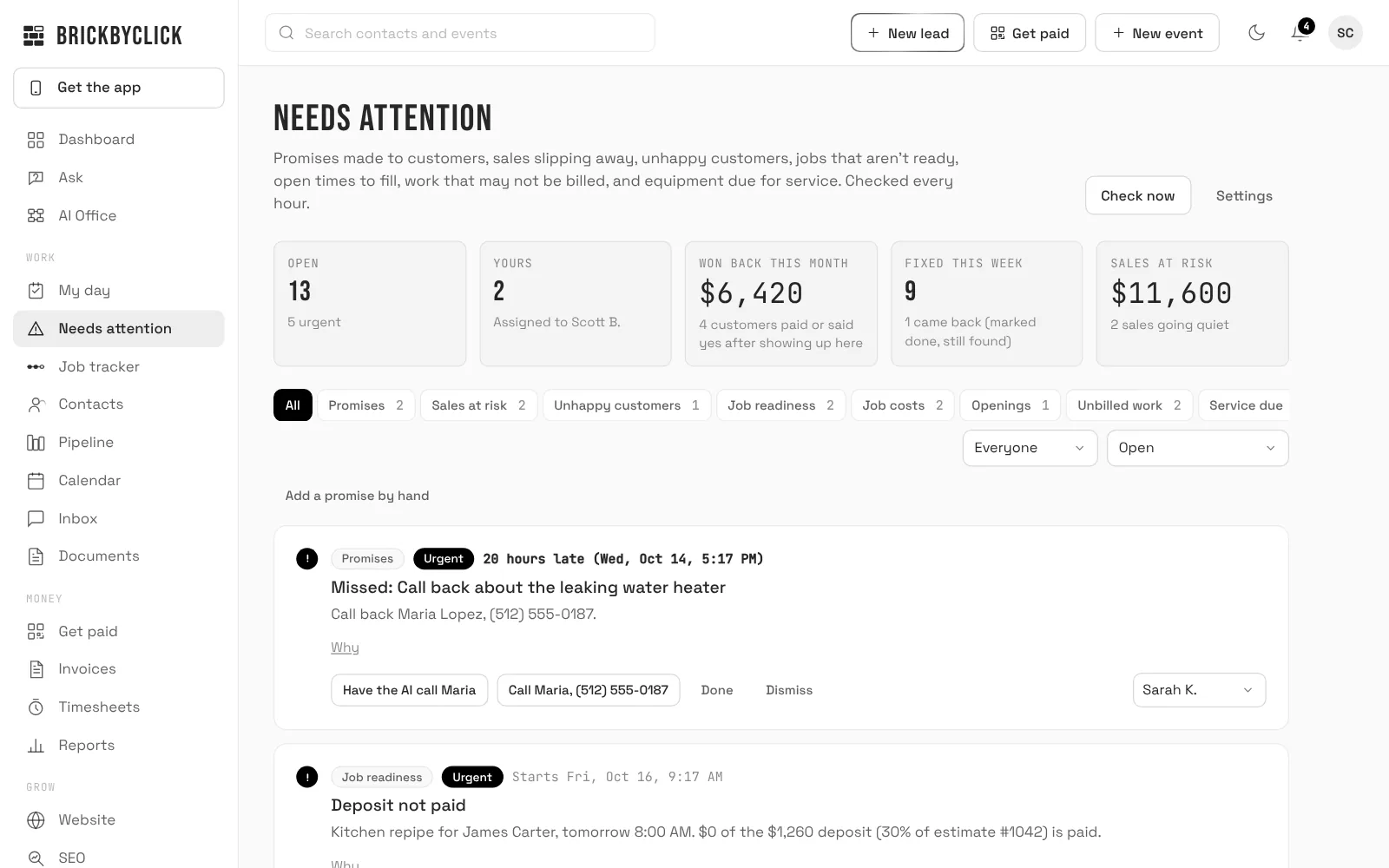
Needs attention reads your calls, notes, quotes, calendar, invoices and job costs every hour, and lists what needs doing, with why it's there and the next step.

  • Promises made on calls and in notes, like a callback on Thursday
  • Quotes going quiet, and jobs missing a deposit or materials before the day
  • Work that wasn't billed, with a change order drafted for you to check
  • Open times to fill after a cancellation, and equipment due for service
  • Unhappy customers, and jobs over budget or running behind on hours
  • Won back this month: the money that came in after something showed up here
crm.brickbyclick.ai/attention
Needs attention with sample data: a missed callback with Have the AI call Maria, a deposit not paid before tomorrow's job, money won back this month and sales at risk

AI follow-up calls

Let the receptionist make the call.

How the AI receptionist works

On a promise, a quote going quiet, a job that isn't ready or service that's due, tap Have the AI call. Your receptionist calls the customer with the reason and their history, and what was said lands in your Inbox.

  • Or start one from any contact: follow up an estimate, confirm a visit, ask for a review, or check in after the job
  • Calls go out only between 8 AM and 8 PM, your time
  • From Front Office up: it's your AI receptionist calling

Follow-ups

The emails you'd forget to send.

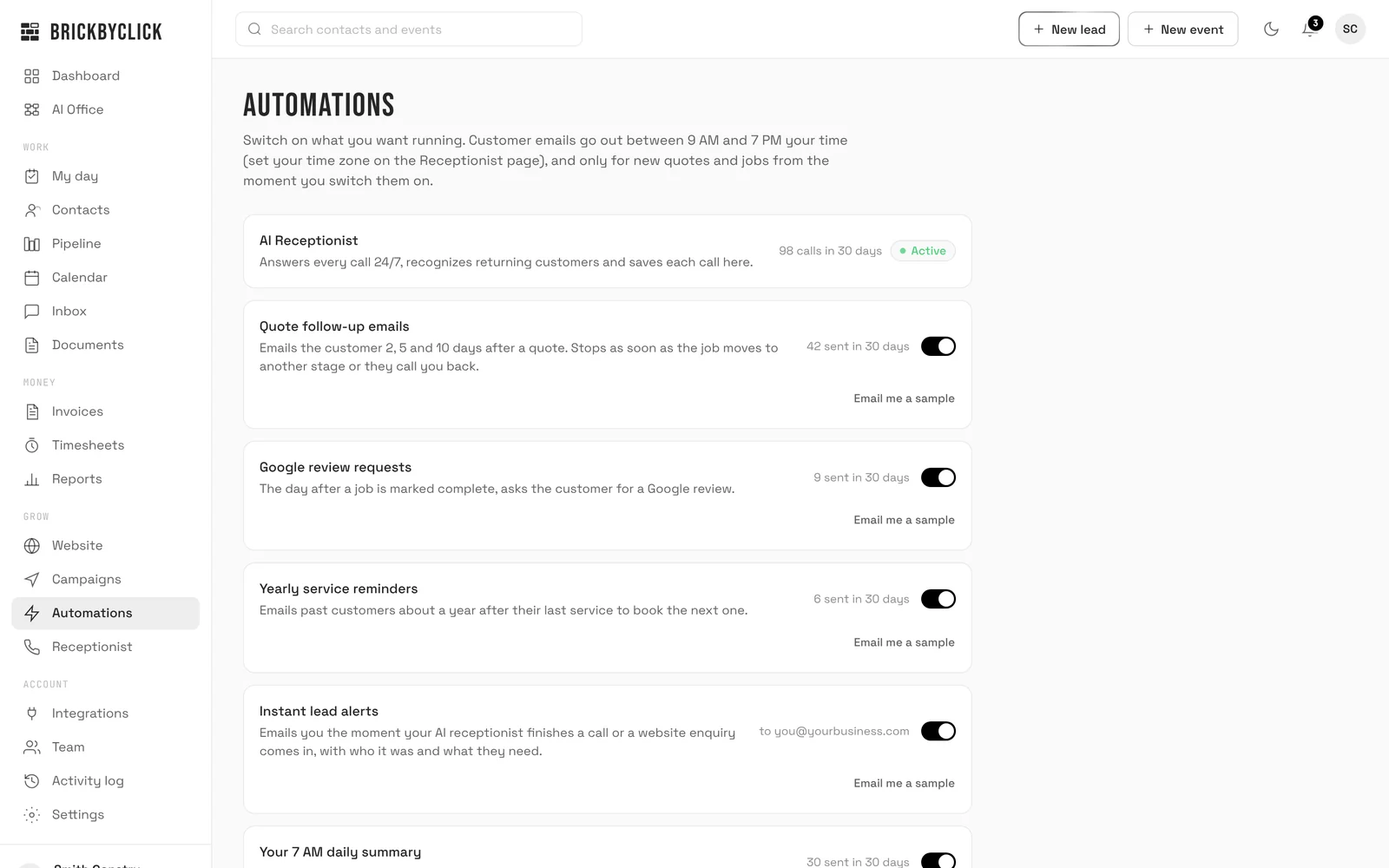
Switch each one on or off. They go out from your business, and replies come straight to you.

  • Quote follow-ups 2, 5 and 10 days after an estimate, until they answer or the job moves
  • "How did we do?" the day after a job is done; a low score goes to Needs attention
  • Google review requests to happy customers
  • Payment reminders on the due date, then 3 and 7 days late
  • Yearly service reminders, about a year after their last visit
  • Missed-call text-back and visit reminder texts from Front Office up, once your business number is registered with the phone carriers (we handle it during setup)
crm.brickbyclick.ai/automations
The Automations page in the CRM: switches for quote follow-up emails, Google review requests, yearly service reminders and instant lead alerts, each with how many were sent in the last 30 days

Questions

Do I have to set anything up?
No. The Job tracker and Needs attention are built from your calls, estimates, calendar, invoices and payments, and they stay up to date on their own. In Needs attention's settings you choose what a job needs before it's ready.
How does it know what was promised?
From your call summaries and your notes: a promise like a callback or an estimate to send becomes an item with when it's due. You can add one by hand too.
Does it ever contact a customer on its own?
The follow-up emails do, once you switch them on. Needs attention only reaches out when you tap "Have the AI call", or when you turn on "Offer open times automatically".
What happens when something is handled?
Tap Done, or let the next hourly check see that it's fixed and close it. Dismiss anything that doesn't apply.
Which plans include it?
Every plan, Starter included. AI follow-up calls and texts come with Front Office and up. See the plans.

See what's slipping in your business

Fifteen minutes. We'll show the Job tracker and Needs attention on a business like yours.