How it works
Two parts. First, how we get you set up: about two weeks from a 15-minute demo to live. Then, how a job runs through BrickByClick every day after that, from the first call to the review request.
Getting started
We do the setup. You tell us how your business works and show up for the walkthrough.
-
15 minutes
A short demo
We show you the receptionist answering for a business like yours and the CRM your crew would use. You ask questions; we tell you which plan fits.
-
Week 1
Your receptionist learns your business
Your hours and closures, your services with starting prices, the area you serve and the answers to the questions customers ask. We set which services it may book, and whether it can move or cancel visits. It all lives on the Receptionist page, so later you can change a price or add a holiday yourself.
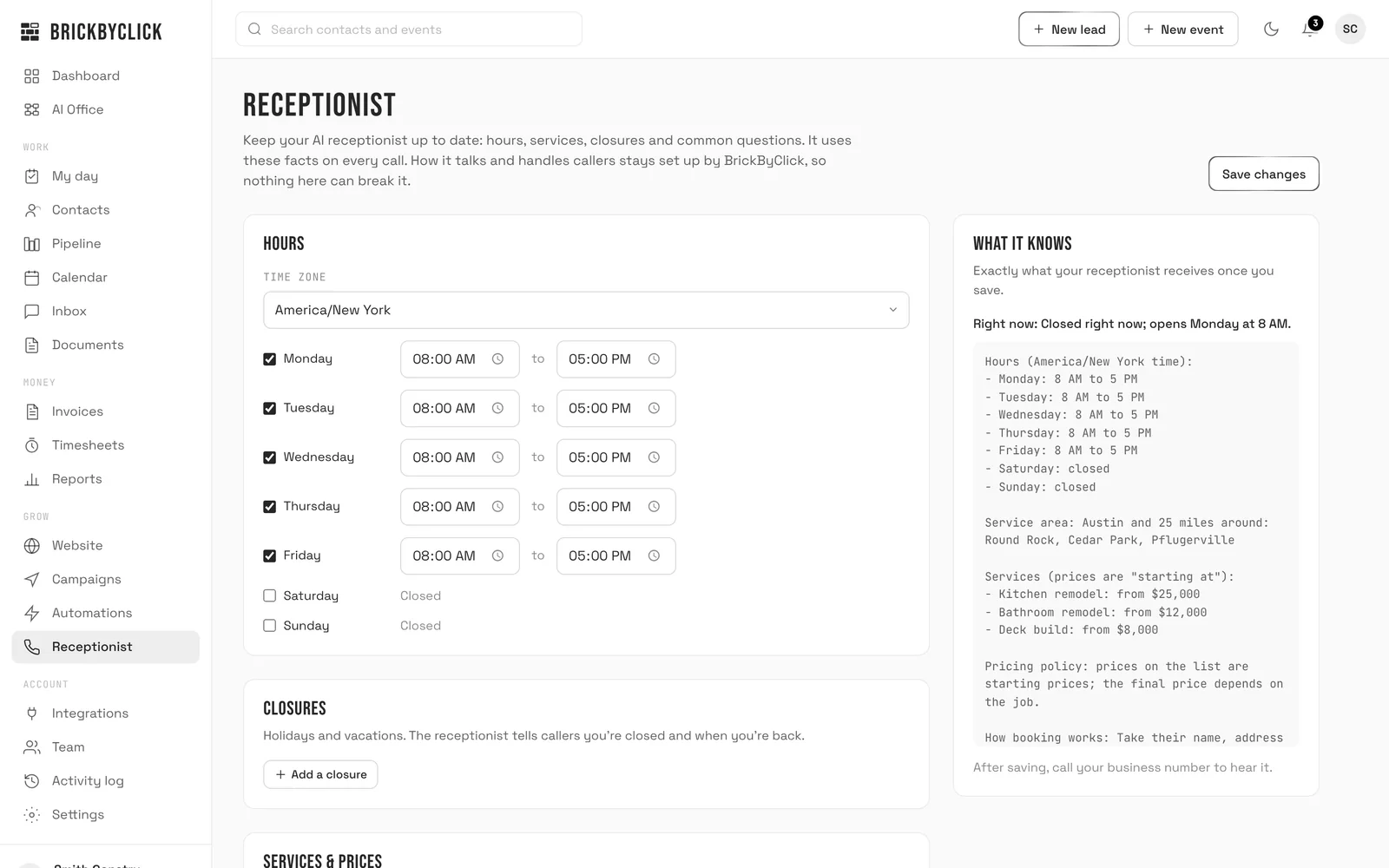
The Receptionist page. The panel on the right shows exactly what your receptionist knows.
-
Week 1
Your CRM is set up for your industry
Pipeline stages that match how your jobs really move. A plumber's starts New Call, Quote Sent, Scheduled; a roofer's has Inspection Booked and Insurance Claim. We add your services, your team's logins as owner, office or tech, your Stripe account for payments, and the follow-up emails you want on.
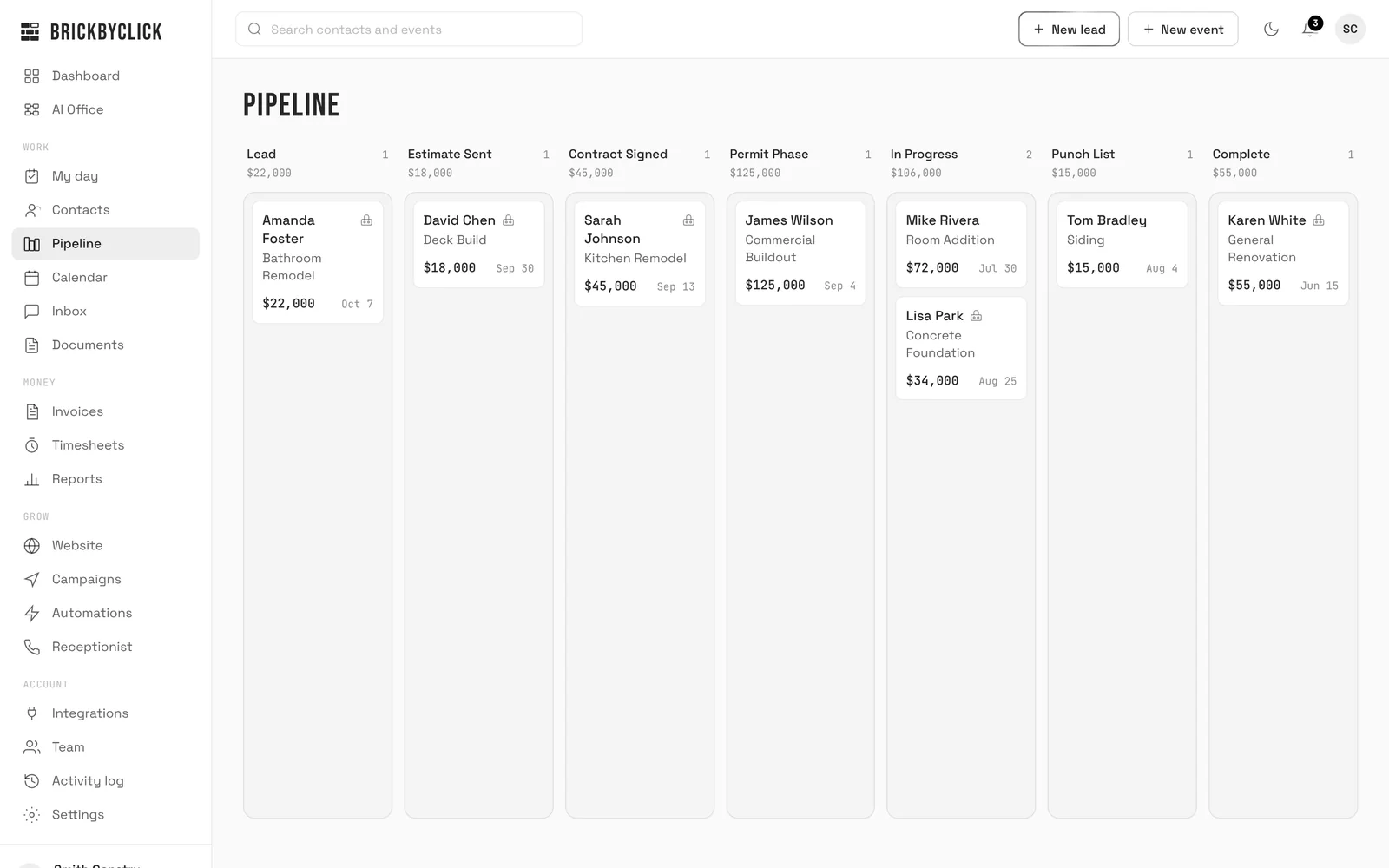
A remodeler's pipeline: Lead, Estimate Sent, Contract Signed, Permit Phase, In Progress, Punch List, Complete.
-
Weeks 1–2
Your website
We build it and host it, with SSL: 10+ pages on Front Office and Growth, unlimited on Total Growth. Already have a site you like? Keep it. The receptionist, the CRM and payments work with any website; just link your booking page from it.
-
Week 2
We walk you and your crew through it
The office learns the pipeline, the calendar, estimates and invoices. The crew learns My day, work orders and Get paid on their phones. Then call your own number and hear your receptionist for yourself.
-
About 2 weeks
You're live
Your receptionist answers every call. Calls land in your Inbox, new leads land in your pipeline, and you get an email for each one.
-
Every month
We keep it tuned
Change your hours, prices and answers yourself whenever you like. For anything else, like a new page or new photos on your website, send a request from the CRM. On Growth and Total Growth, our team also works on your local SEO every month and meets with you for a strategy call.
What we'll ask you for
- Your business hours and any closures
- Your services, with starting prices
- The area you serve
- Answers to the questions customers ask most
- Which services the receptionist may book
- Your team: names, emails and roles
- A Stripe account for card and bank payments
- Your logo, photos and the words for your website, or your current site's address
A job, start to finish
One water heater swap for Ace Plumbing, from the first call to the review request. Real screens from the CRM, with sample data.
-
Gina calls after hours.
Your receptionist answers in your business's name. She's a new caller, so it asks how she heard about you, then books an estimate visit for Wednesday morning, inside your hours. The call lands in your Inbox with a summary, Gina lands in your pipeline as a New Call, and you get an email.
AI8:14 PM · 2:31Gina LopezWater heater is 15 years old and leaking at the base. Wants a replacement. Found you on Google. Estimate visit booked Wed 9:00 AM.
-
You send the estimate.
After the visit, build the estimate from your services and prices, set a deposit, and send it. Gina gets an email with a button to review and accept it, and the job moves to Quote Sent. If she goes quiet, follow-up emails go out 2, 5 and 10 days later, and stop as soon as she calls back or the job moves on.
Ace Plumbing via BrickByClick · 9:40 AMEstimate EST-1042 from Ace Plumbing: $1,908.81Total$1,908.81Deposit to book (25%)$477.20 -
She accepts it online and pays the deposit.
Gina opens the estimate on her phone and accepts it by typing her name. You get an email and the job moves to Scheduled. One click turns the estimate into a deposit invoice, and she pays it by card or from her bank, straight into your own Stripe account.
BrickByClick · 7:40 PMGina Lopez accepted estimate EST-1042 ($1,908.81)Deposit to book: $477.20. You can turn the estimate into a deposit invoice in one click. -
The swap goes on the calendar.
Saturday at 10 with Jake. Gina sees the visit in her customer portal, next to her estimate and invoices. If she calls to move it, your receptionist can do that too, if you've allowed it.
-
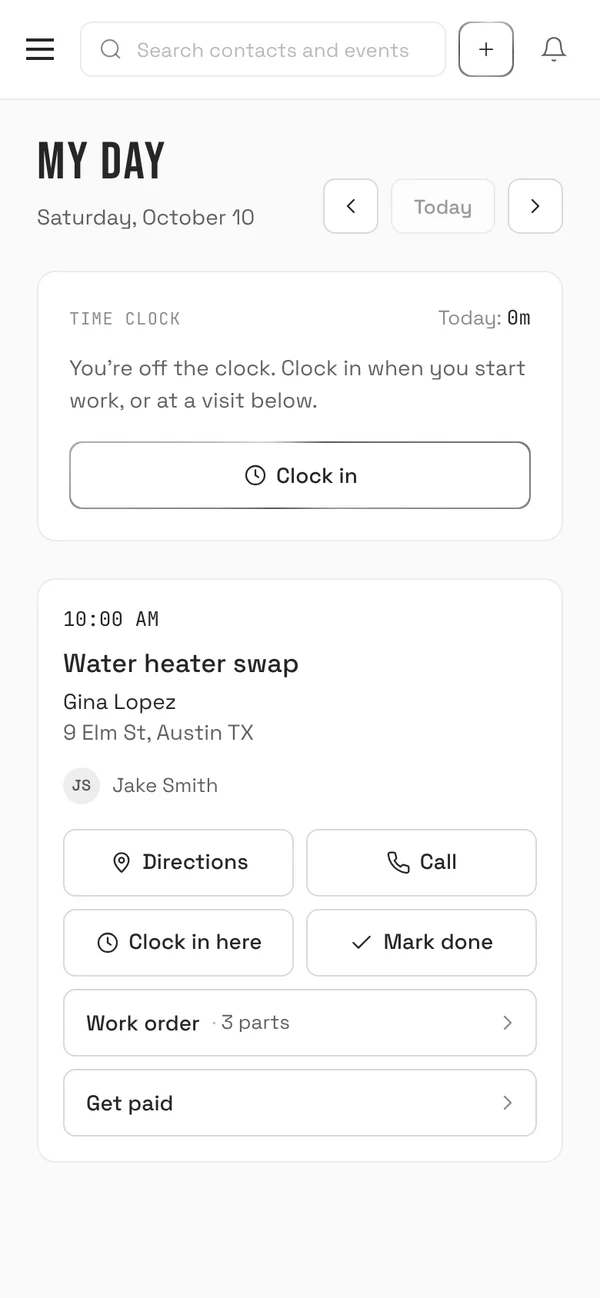
Jake opens My day.
The swap is on his phone with the address, directions, a button to call Gina, your notes and the equipment on site. He clocks in with one tap when he starts.
-
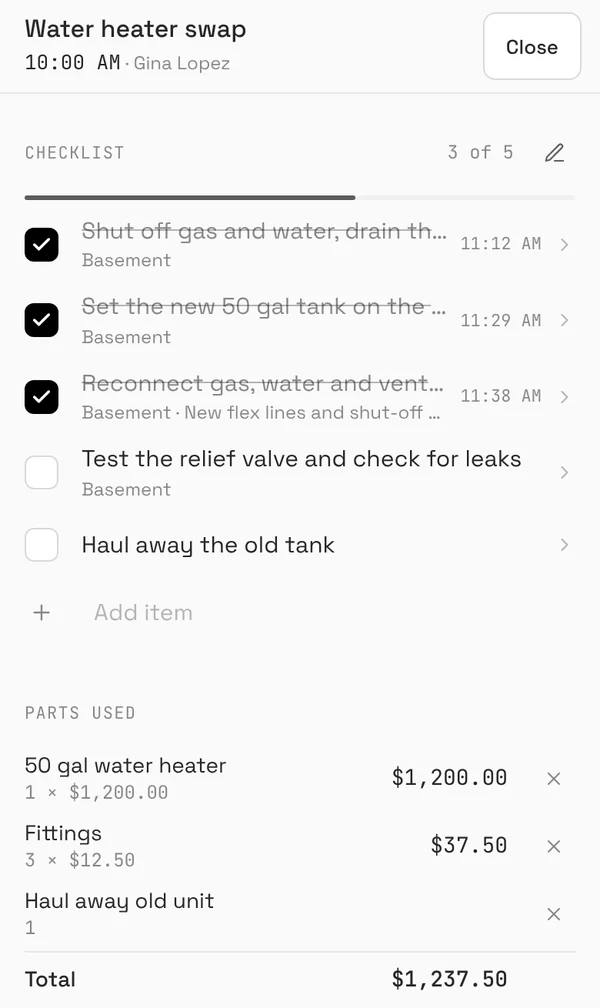
The work order fills in on site.
Jake ticks off the punch list as he goes, with a photo on each item, logs the parts he used and gets Gina's signature. Progress photos can also go to Gina in a job photo update by email, held for two hours first so you can fix a caption or hide a photo.
-
Paid before he leaves.
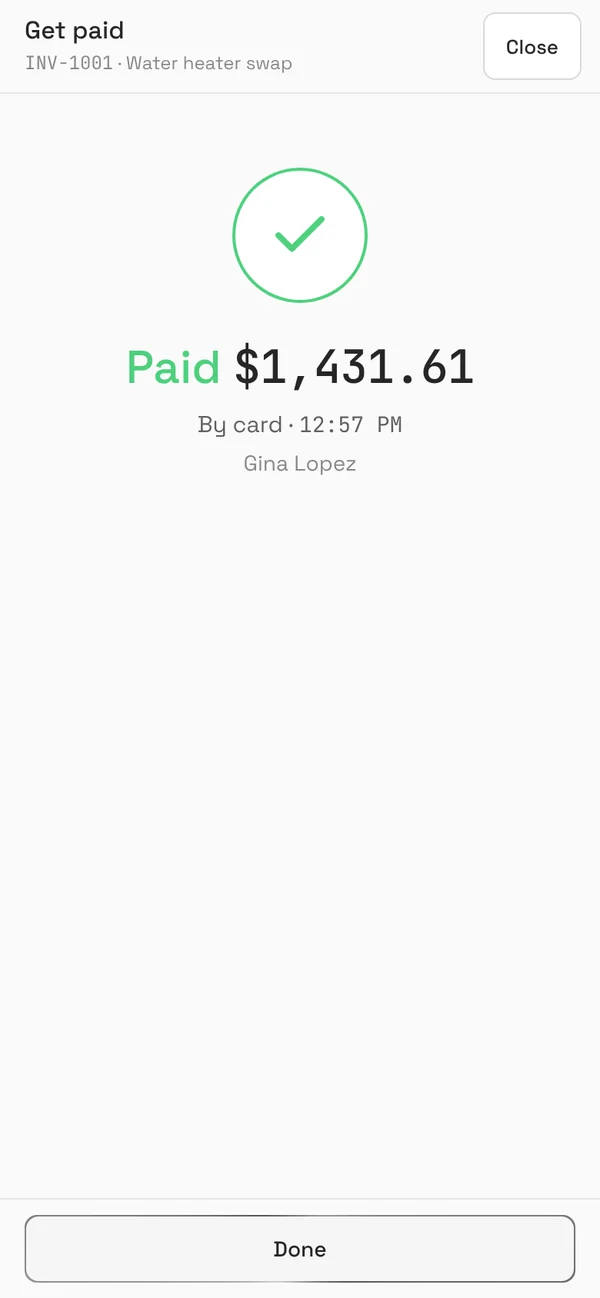
Jake taps Get paid. The invoice fills in from the parts he used, he checks the lines, and Gina scans the QR code and pays on her own phone. The invoice marks itself paid, the job moves to won, and you get an email that you got paid. Paying by check? Jake records it in one tap.
-
The review request goes out.
The day after the job is complete, Gina gets an email from your business asking for a Google review, with one button to leave it. If anything wasn't right, her reply comes straight to you.
Ace Plumbing via BrickByClickHow did we do? Ace PlumbingHi Gina, thank you for choosing Ace Plumbing! If you were happy with the work, would you take a moment to leave us a Google review? -
A reminder to book again.
About a year after the job, Gina gets an email asking if she'd like to book her next service. You didn't have to remember. And every Friday at 4 PM you get a short email about what went right that week.
Want to click through it yourself? Open the live demo: the real CRM with sample data, no login. Or call our own AI receptionist at (888) 533-5784.
Questions
How long does setup take?
What do I have to do during setup?
Can I change my hours and prices myself?
How do deposits work?
What if a customer pays by check or Zelle?
Does it text my customers?
Start with 15 minutes
See the receptionist answer for a business like yours and the CRM your crew would use. If it fits, you could be live in about two weeks.