Pricing / Starter
Starter
The BrickByClick CRM and a free website, set up by you. For service businesses that want their jobs, estimates, invoices and payments in one place today, without a sales call.
- Month to month
- Pay by card online
- Set up in about 10 minutes
What's included
- CRM: contacts, pipeline, calendar and the Job tracker
- Estimates customers accept online, with deposits
- Invoices with card and bank payments through your own Stripe account
- An online booking page with your real open times
- Crew app: My day, time clock, work orders, Get paid
- Job costing, daily job reports and a business report every month
- Logins for your office and techs
- Quote follow-ups and review requests by email
- A free website on a brickbyclick address that you edit yourself
Prices in US dollars. Card payments: Stripe's fees plus 0.5% (at most $25). Not included: the AI receptionist, texting, your own domain, SEO and email campaigns. Compare every feature
What you get, in detail
Real screens from the CRM, with sample data. Everything here is in Starter today.
Free website
A website you change yourself
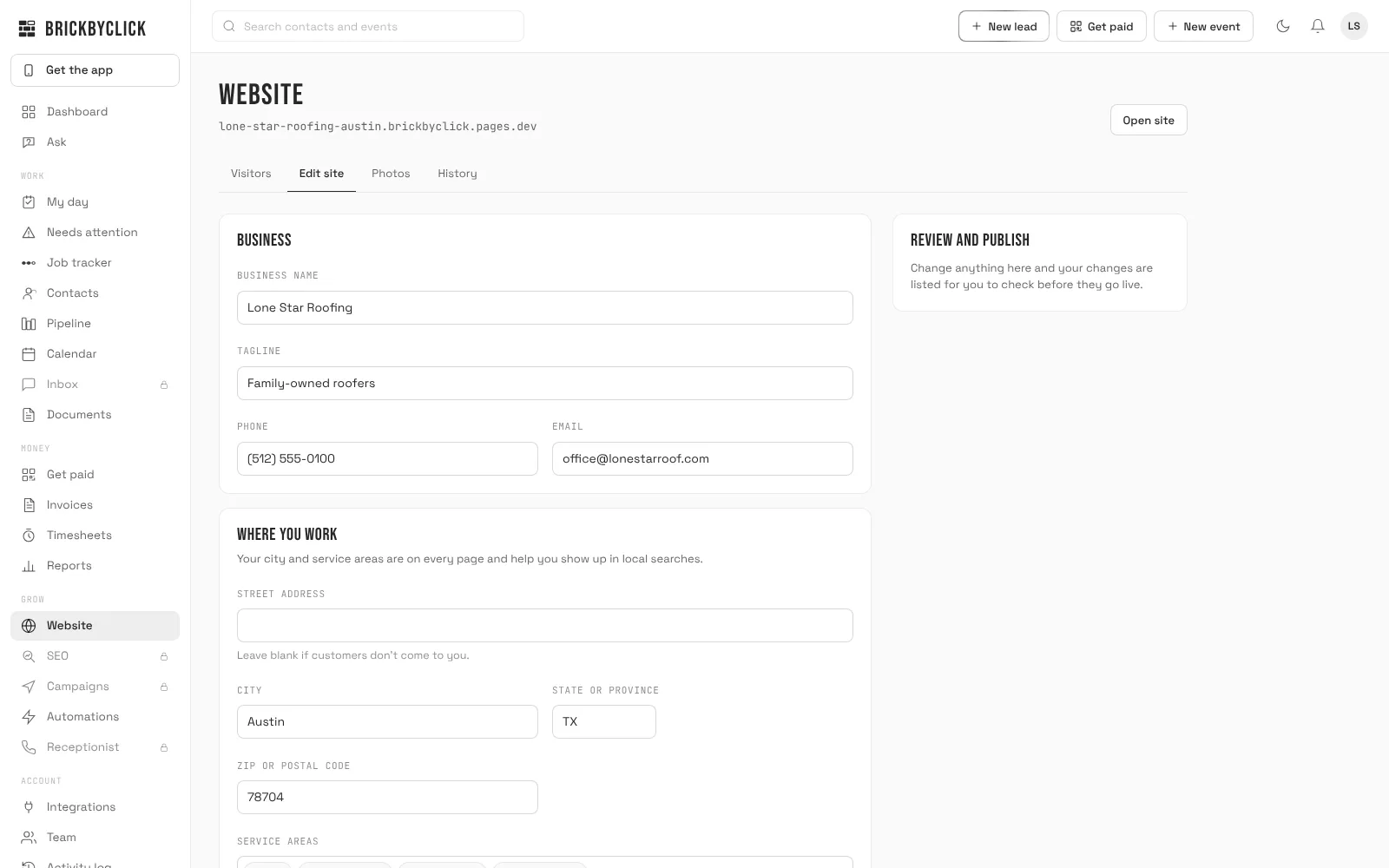
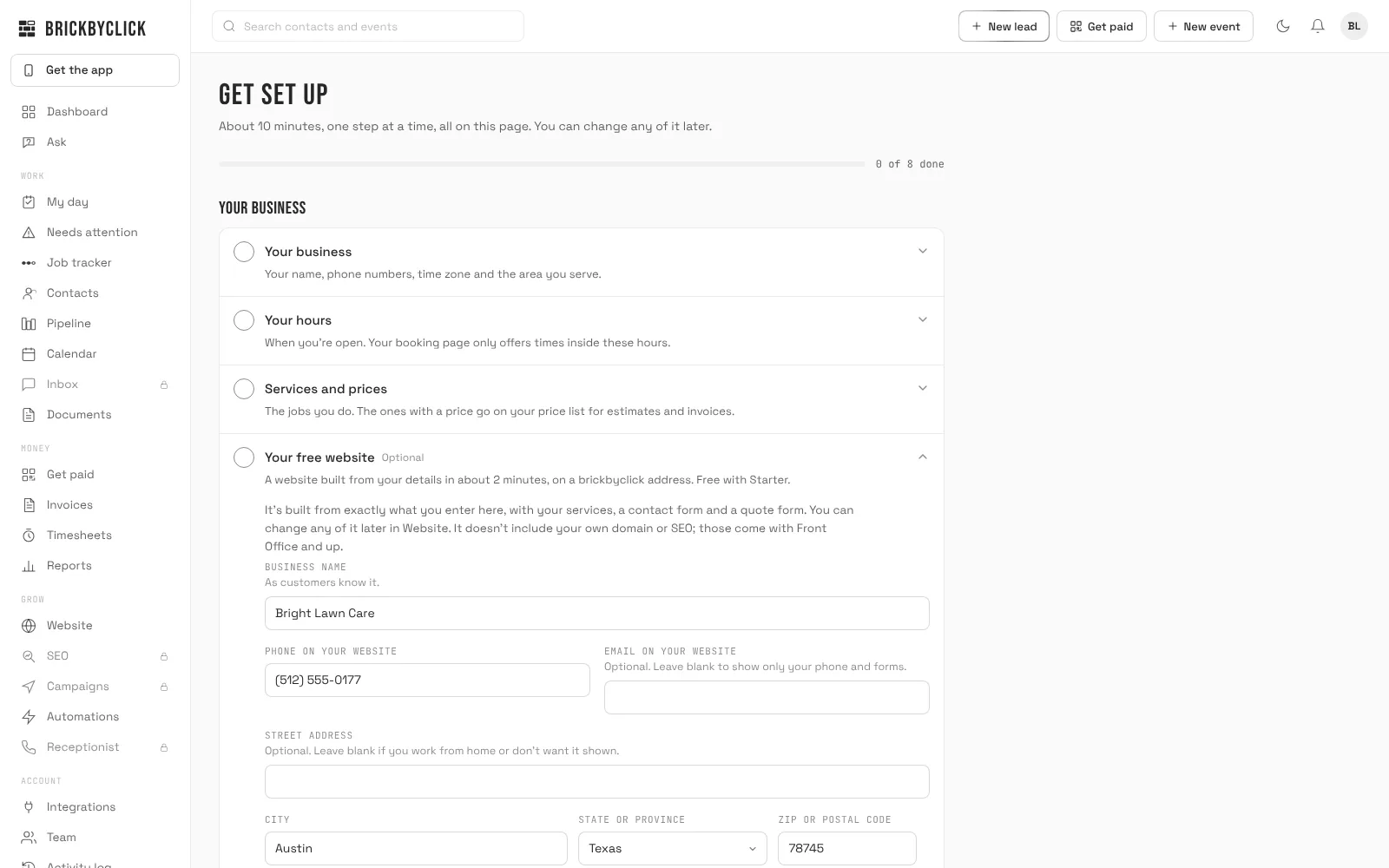
Fill in your business details once and your website is built from exactly what you enter: your services, your town and the towns you serve, your Google rating if you have one, a contact form and a quote form. No made-up ratings or numbers.
- Ready in about 2 minutes for roofing, plumbing, HVAC, electrical, general contracting and landscaping
- Any other trade: our team builds it by hand from your details and emails you when it's live
- Change your details, service areas, photos and logo in the CRM, then press Publish
- Requests from its forms land in your CRM as new leads
- On a brickbyclick address, like yourbusiness-yourcity.brickbyclick.pages.dev
CRM and Job tracker
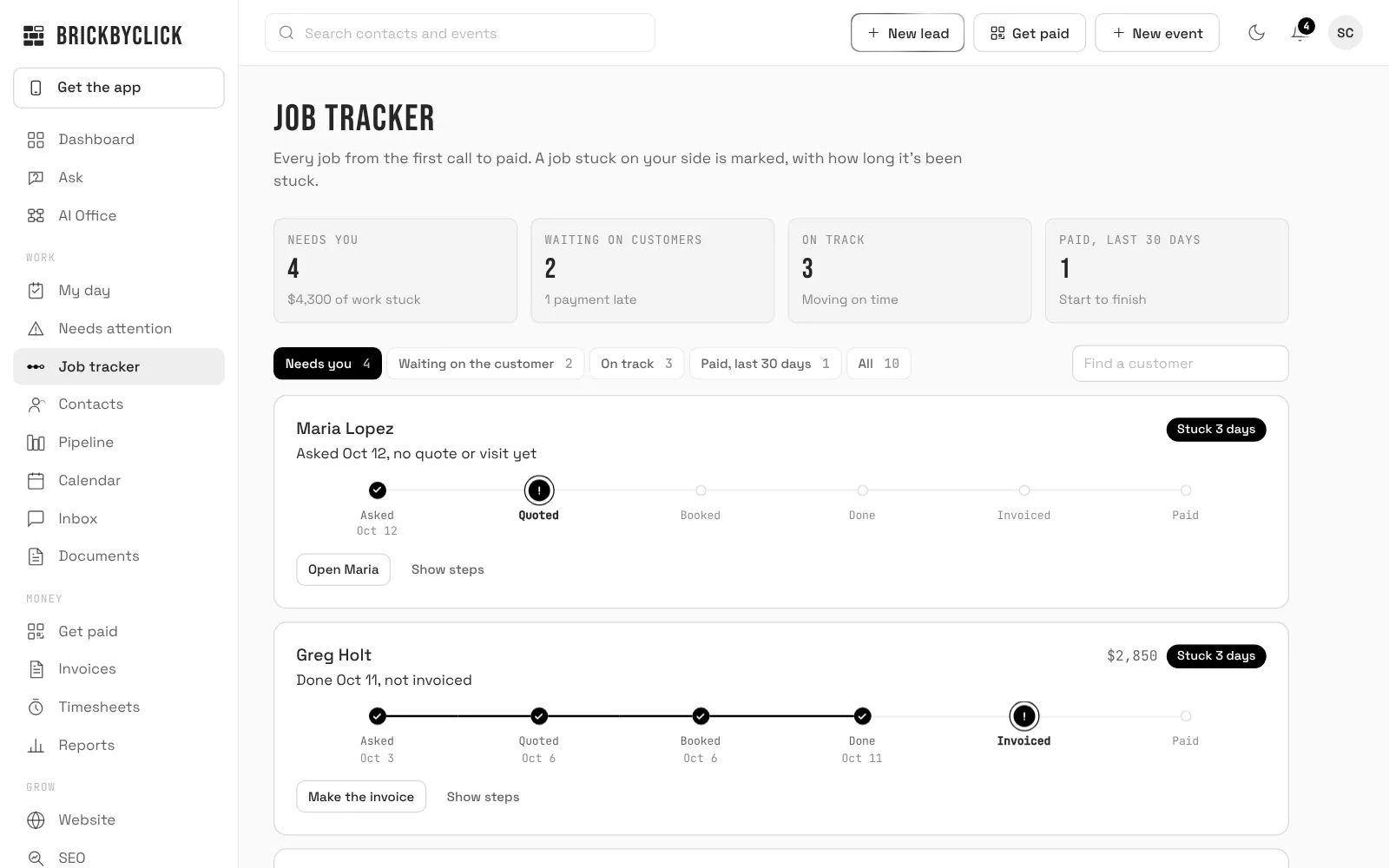
Every job, and what it needs from you
Contacts, a pipeline with stages for your industry and a calendar with repeating jobs. The Job tracker shows each job's stage and what's waiting on you: an estimate to send, a visit to book, an invoice to collect.
- Online booking page: customers pick a day and time from your real open slots
- Bring your customers over from a spreadsheet, your phone or your old CRM
- Download your data any time, as spreadsheets
Estimates, invoices and payments
Customers accept and pay online
Send an estimate by email. The customer accepts it online, and you can turn it into a deposit invoice in one click. Invoices take card and US bank payments through your own Stripe account, and mark themselves paid when the money comes in.
- Card, Apple Pay, Google Pay and bank (ACH) payments, paid out to you by Stripe
- Record cash, check, Zelle, Venmo, Cash App and other payments
- BrickByClick fee: 0.5% per card payment, at most $25. Nothing on bank payments
- Send job receipts to QuickBooks Online, photo attached, or download one spreadsheet for any accounting software
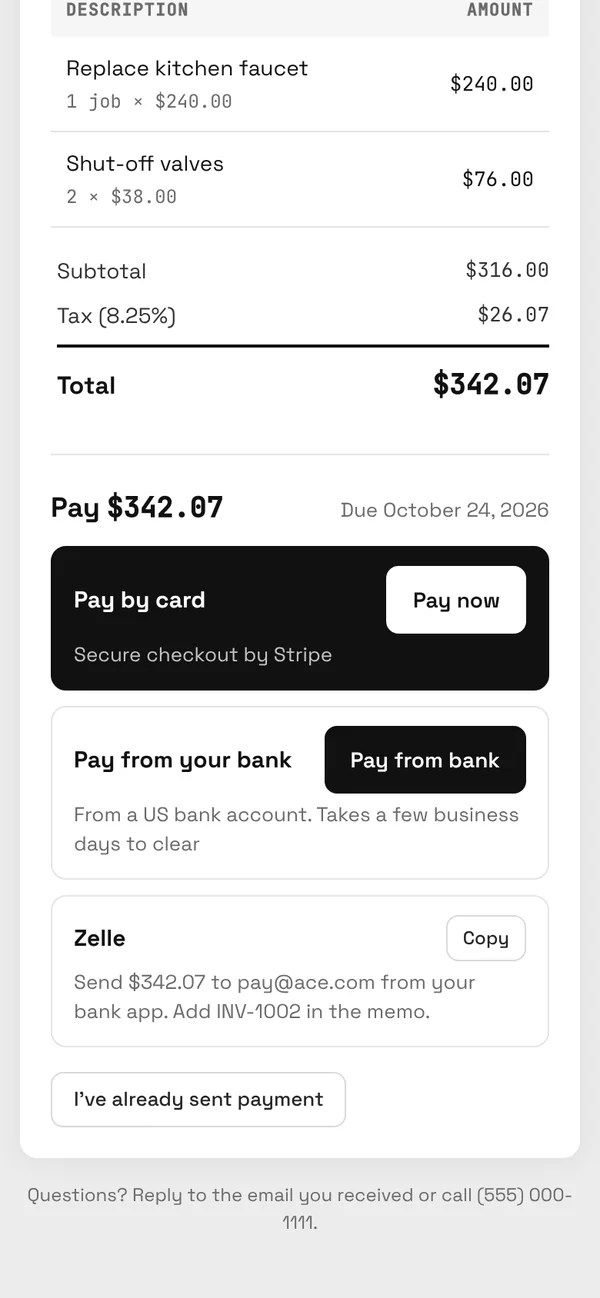
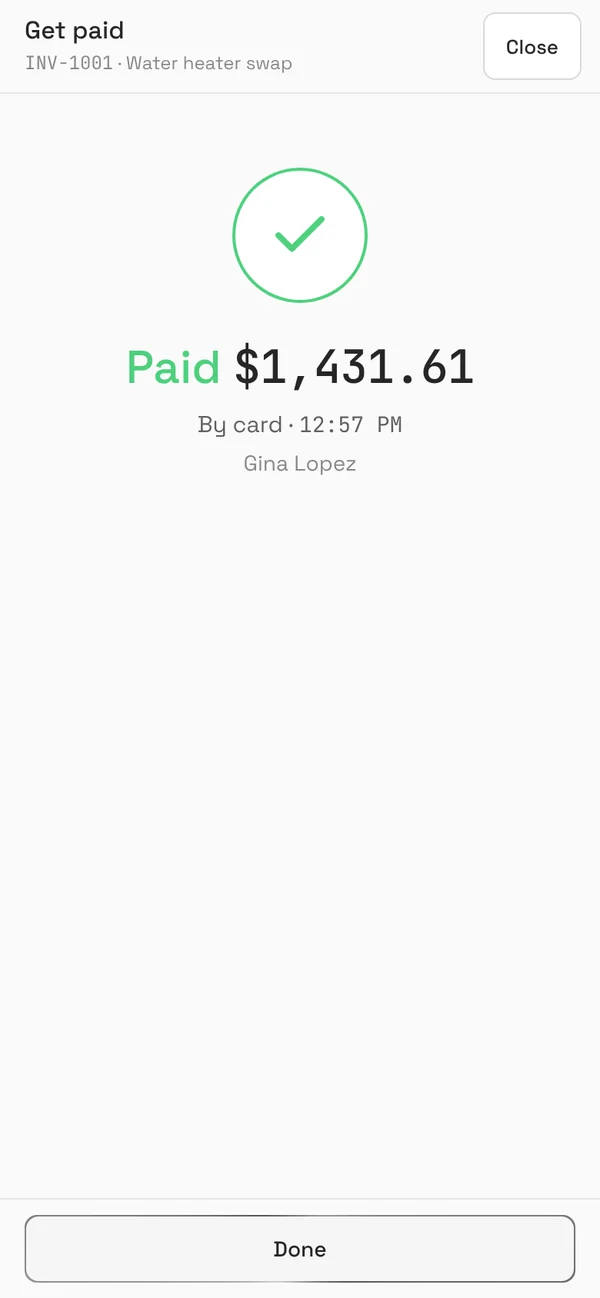
What your customer sees on their phone.
Crew app
Your crew runs the day from their phone
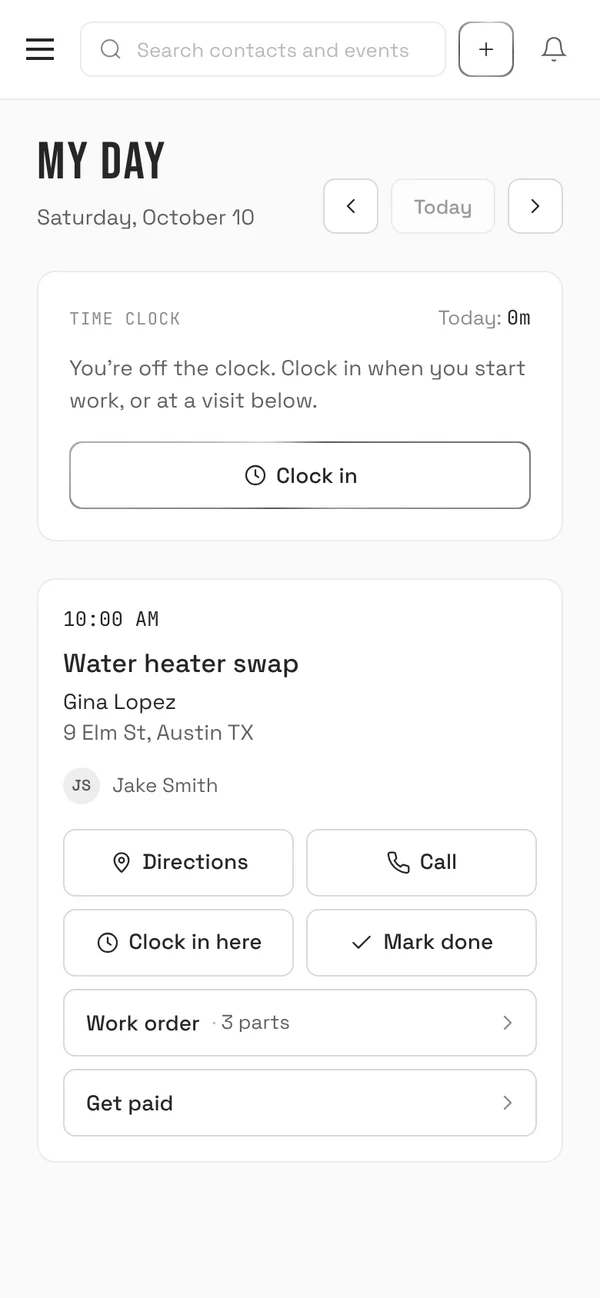
Each tech opens My day: their visits, the address with directions, a button to call the customer, your notes and the equipment on site. Techs see only the jobs assigned to them.
- Time clock and timesheets
- Work orders with checklists, photos, parts used and the customer's signature
- Photos keep when and where they were taken, and plans can be marked up with pins
- Work orders and photos save with no signal and send when it's back
- Get paid on site: the customer scans a QR code and pays on their own phone
Your numbers
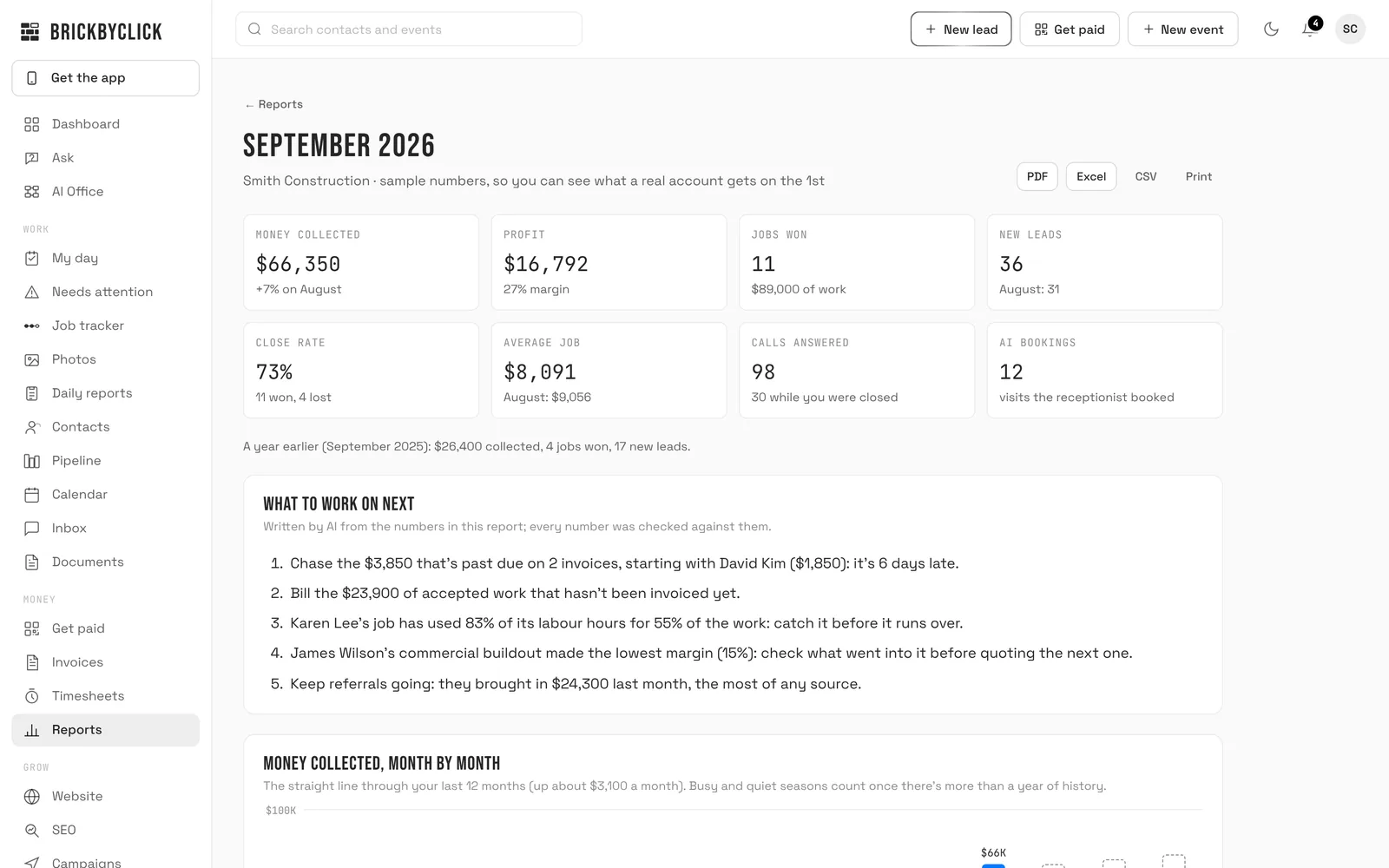
What every job made, and where you're heading
Counted from your own records as the work happens, and summed up for you on the 1st of every month.
- Job costing: receipts, hours at each person's cost per hour and card fees, against the job's budget
- Daily job reports at 6 PM: crew hours, work done, materials, photos and delays, for you to approve
- A monthly business report emailed on the 1st with the PDF, and trends for the months ahead
- Ask about your numbers in plain words, and download any answer as Excel, CSV or PDF
Follow-ups by email
Sent for you
Quote follow-ups after an estimate, a Google review request after a finished job, and a reminder about a year later to book the next service. Switch each one on or off.
Your team
Logins for everyone
Give your office and crew their own logins. Office sees everything except billing and team settings; techs see only their own jobs.
Billing
In your hands
Pay by card online. Change your card, download your invoices or cancel any time in Settings, Billing.
Not in Starter
The AI receptionist that answers your calls, texting, your own domain, SEO, email campaigns, and website changes made by our team. Those come with Front Office and up, where our team sets everything up with you. Moving up keeps everything you've added.
How you set it up
All online, on your own time. If you get stuck, call (888) 533-5784 and we'll do it with you.
-
2 minutes
Sign up and pay
Your business name, your email and your card at crm.brickbyclick.ai/start. Then choose your password and you're in.
-
About 10 minutes
Get set up
One step at a time: your business details, hours, services and prices, how you get paid, your team and your booking page.
-
About 2 minutes
Your website
Fill in the details for your website and it's built while you carry on. We email you the link when it's live.
Questions
Is the website really free?
Can I use my own domain, like yourbusiness.com?
Does Starter include SEO?
What if my trade isn't one of the six?
Who makes changes to my website?
Is there a contract?
What does it cost to take card payments?
Can I move up to Front Office later?
Other plans
Start today
Sign up, pay by card and set it up yourself. Your CRM is ready as soon as you've paid, and your website a few minutes after you fill it in.