Limited-time price: Front Office at $249/month, locked for 12 months. Sign up by November 30. See the plan

Your Website ID

Enter the ID from your email to open your preview website, or to hear your AI receptionist answer as your business.

Crew app

Works in the basement. Sends it all when they're back up.

Your crew runs the day from their phone: My day, the work order, photos, quantities and the plans. When there's no signal, they keep working. Everything is saved on the phone and sent once, in order, as soon as there's a connection.

  • On every plan, Starter included
  • No app store needed
  • Nothing sent twice

No signal

Keep working. It sends itself later.

Basements, crawl spaces, steel buildings, rural jobs. Once a phone has opened My day or the job's link with signal, both open without it, and what the crew does is kept on the phone until there's a connection again.

  • Saved on the phone: photos, pins, quantities, checklist ticks, notes, parts used and delays
  • Sent by itself when the phone is back online, oldest first, and never counted twice
  • A bar on the screen says what's waiting, and when it's all been sent
  • Needs signal: adding a new drawing, clocking in or out, and taking a card payment
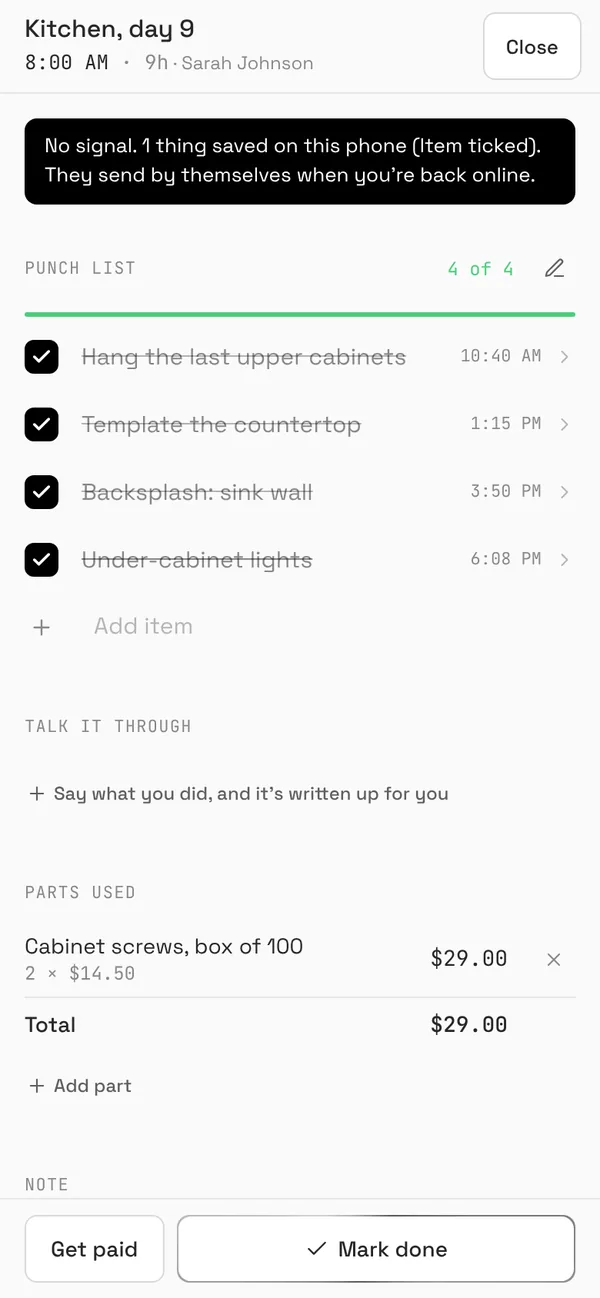
The work order on a phone with no signal: a bar says 1 thing is saved on this phone and will send when back online, above a punch list with every item ticked
The work order, with no signal.
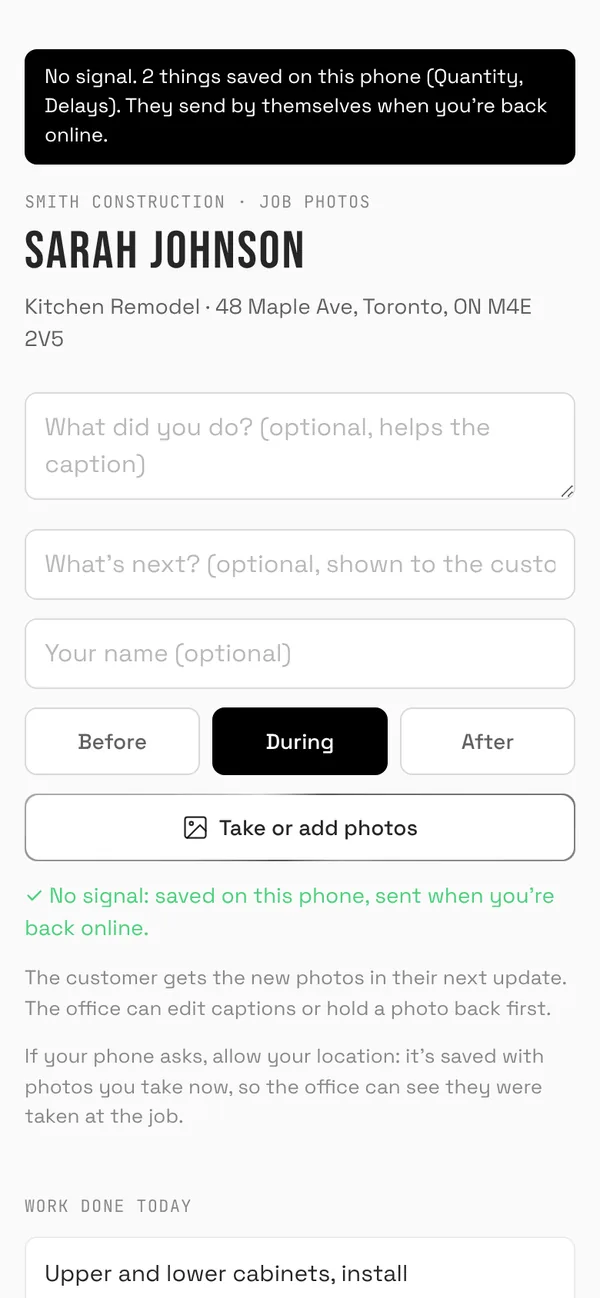
The job's link on a phone with no signal: a bar says 2 things are saved on this phone, a quantity and the delays, and will send when back online
The job's link, with no signal.

Plans and drawings

The plans on site, with pins where the work is.

Upload the plans as a PDF or photos, and each page becomes an image the crew can zoom on their phone. Drop a pin on the spot: an issue, a task, or a photo of that exact place.

  • Issues, tasks and photos pinned to the page, each marked done or reopened
  • The office sees the same drawings and pins on the job's Drawings tab
  • A drawing opened once keeps working with no signal, pins included
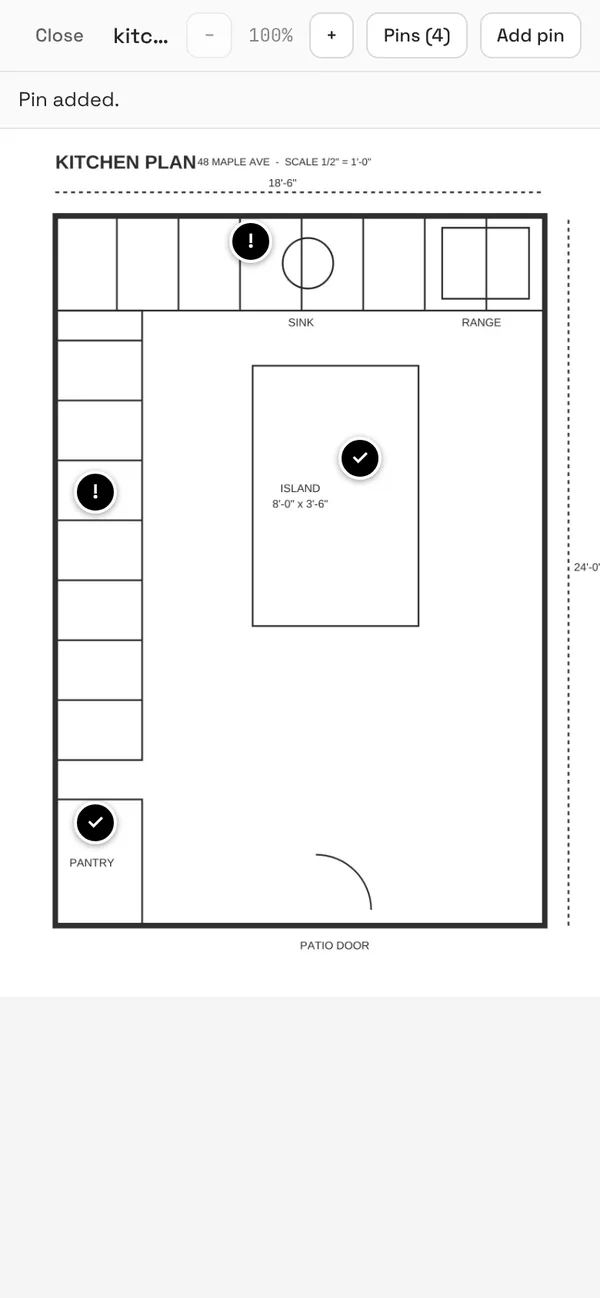
A kitchen plan on a phone with four pins: an outlet too close to the sink, a cabinet door that rubs, pendant lights over the island and pantry shelves
Pins for an issue, a task or a photo.
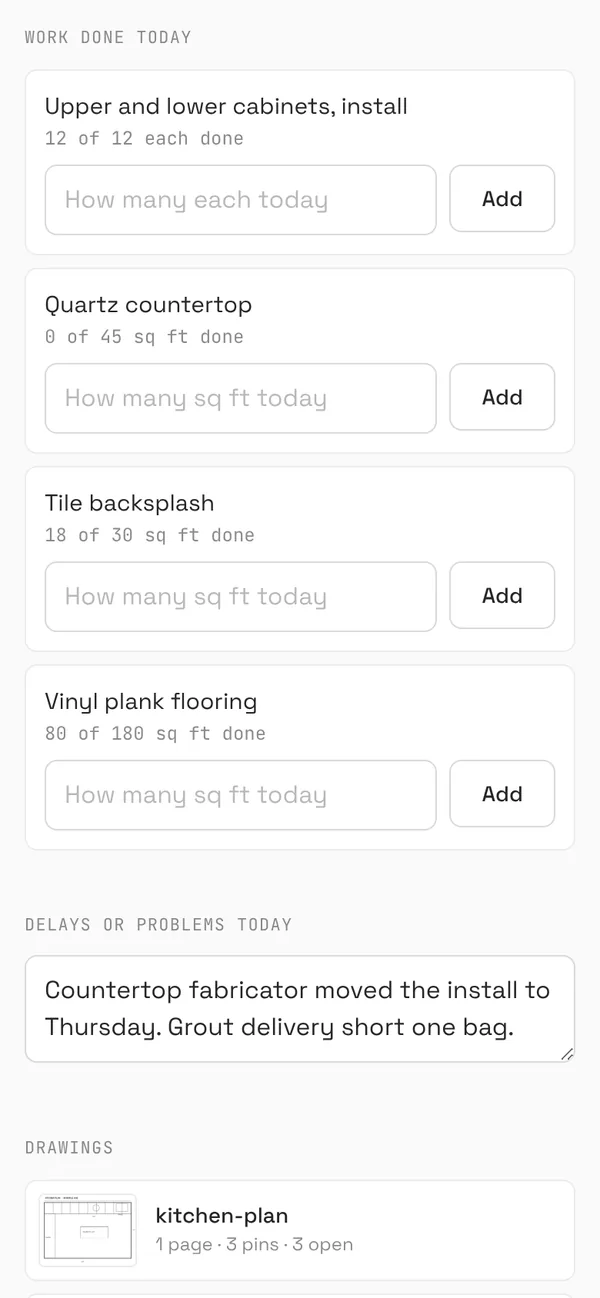
The job's link on a phone: work done today for each estimate line, today's delays, and the kitchen plan with 3 open pins
Work done today, delays and the plans.

Everything else on My day

The visit, the work order and Get paid.

More about the crew's day

Techs see their visits with directions, notes and equipment, clock in with one tap, fill in the work order with photos, parts and the customer's signature, and take payment on site.

  • Talk it through: say what you did and the visit note and parts are written up for you
  • Ask the manuals: answers from the manuals you uploaded, with the page to open
  • What they log feeds the daily report, the job's costs and the monthly business report
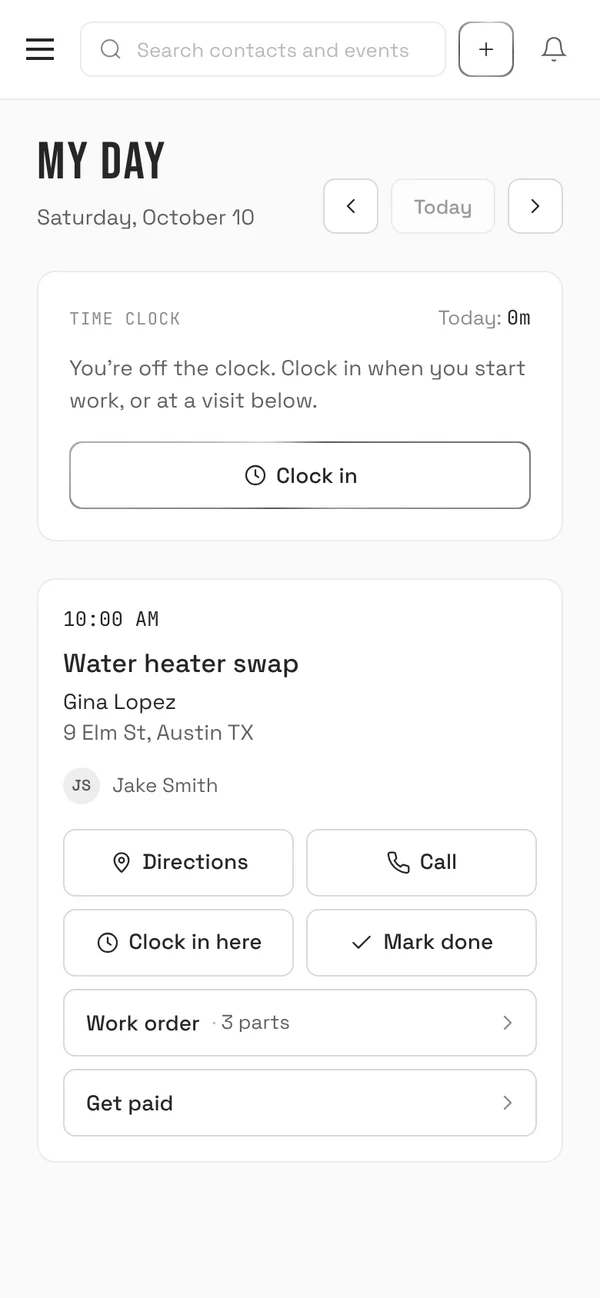
My day on a phone: a 10 AM water heater swap for Gina Lopez with directions, call, clock in and Get paid
My day.
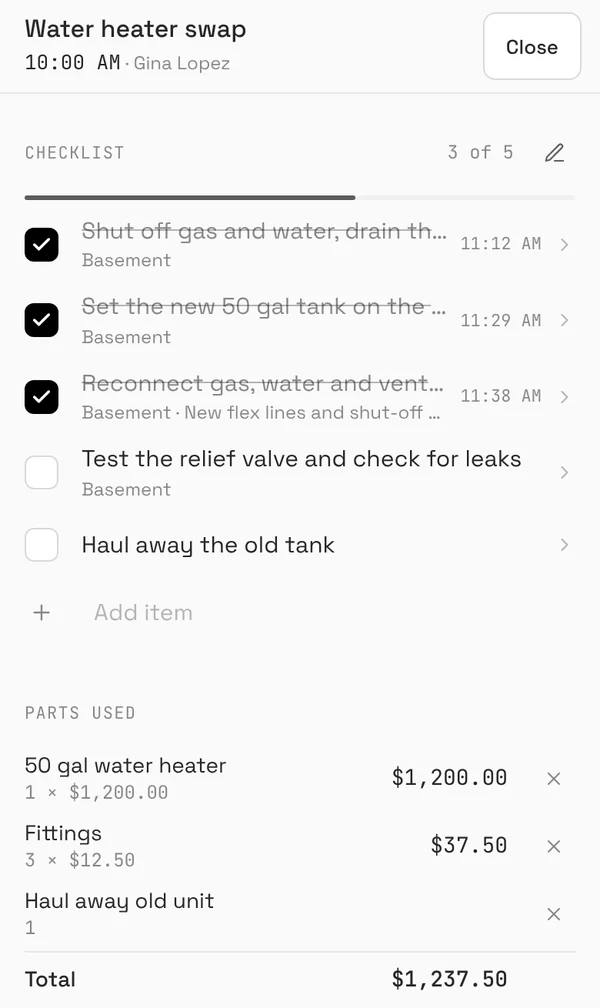
The work order on a phone: a punch list three of five done with the times each was ticked, and the parts used
The work order.

Questions

What works with no signal?
On a phone that has opened My day or the job's link once with signal: the screens open, and photos, pins on a drawing, quantities, checklist ticks, notes, parts and delays are saved on the phone. They're sent by themselves, once and in order, as soon as there's a connection. A bar shows what's waiting.
What needs signal?
Adding a new drawing, clocking in or out, and taking a card payment. Everything else above keeps working.
Can something be sent twice?
No. Each photo, pin and quantity carries its own code, so if the connection drops halfway and it's sent again, it still counts once.
Is it an app from the app store?
No download needed. Open crm.brickbyclick.ai/get-app on the phone and add it to the home screen: it opens full screen, like an app, with notifications. The job link works in any phone's browser.
Does my crew need a login?
Techs with a login use My day: their visits, the work order, the time clock and Get paid. The job's link needs no login: anyone on the job can add photos, quantities, delays and pins with it.
Which plans include it?
Every plan, Starter included. See the plans.

Put it on your crew's phones

Fifteen minutes. We'll show you My day, the job's link, the plans and what happens with no signal.