Free Invoicing Software
BrickByClick Free is free invoicing software for local service businesses. You keep a customer list, send invoices by email with a pay link, and get paid by card or bank through your own Stripe account. There is no monthly fee and no card needed to sign up. You pay only when a customer pays you: Stripe's processing + 0.5% per card payment (max $25), and nothing extra on bank payments.
At a glance
- What you get: a customer list, invoices sent by email with a pay link, card and bank payments, the Get paid screen with a QR code, and one login.
- What it costs: $0 a month. Card payments add Stripe's processing + 0.5% per card payment (max $25). No BrickByClick fee on bank payments.
- Who it is for: owner-run local service businesses that want to bill and get paid online without paying for software.
- What it needs: an email address you confirm, and your own Stripe account to take card and bank payments.
- What it does not include: estimates, jobs, scheduling, the crew app, follow-up emails or a website. Those come with Starter at $99 a month.
What is BrickByClick Free?
It is the invoicing and payments part of the BrickByClick CRM, on its own, for $0 a month. You sign up yourself at crm.brickbyclick.ai/start and choose Start free.
What is included
- Customers: add and edit the people you bill.
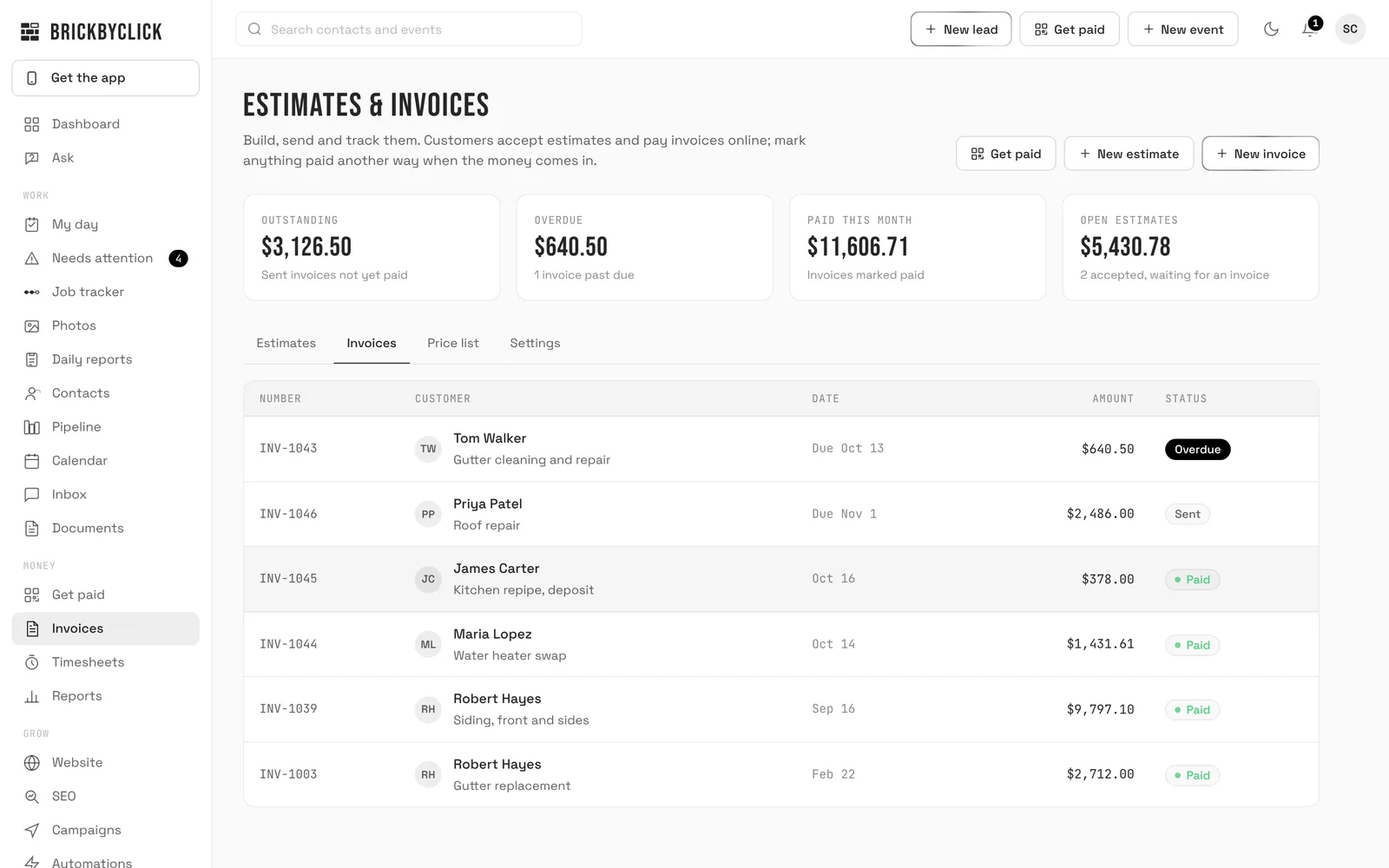
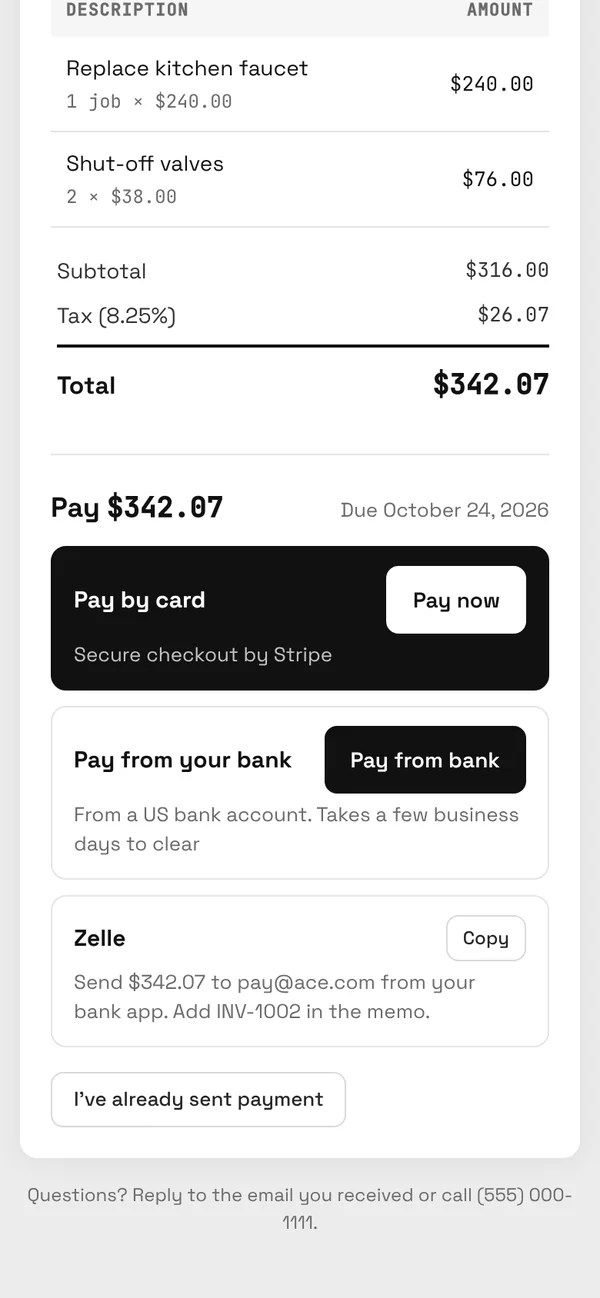
- Invoices: create them and send them by email. Each invoice has a private link the customer opens on their phone, with no login and no app.
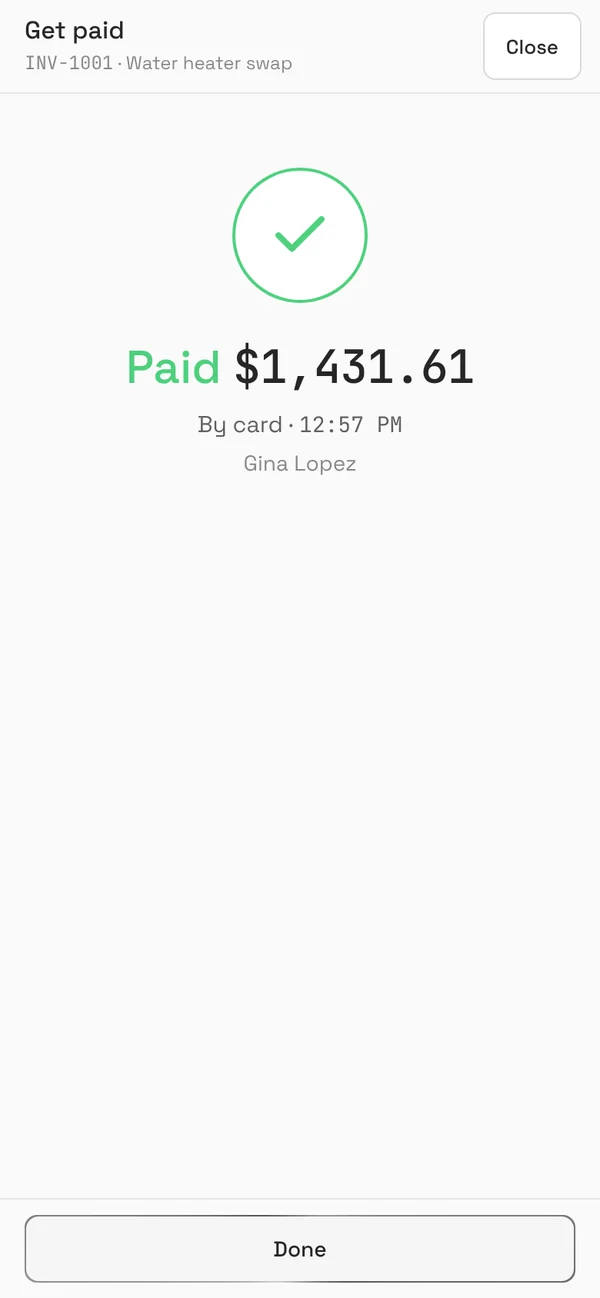
- Card and bank payments: the customer pays by card, Apple Pay or Google Pay, or from a US bank account, through your own Stripe account. A paid invoice marks itself paid.
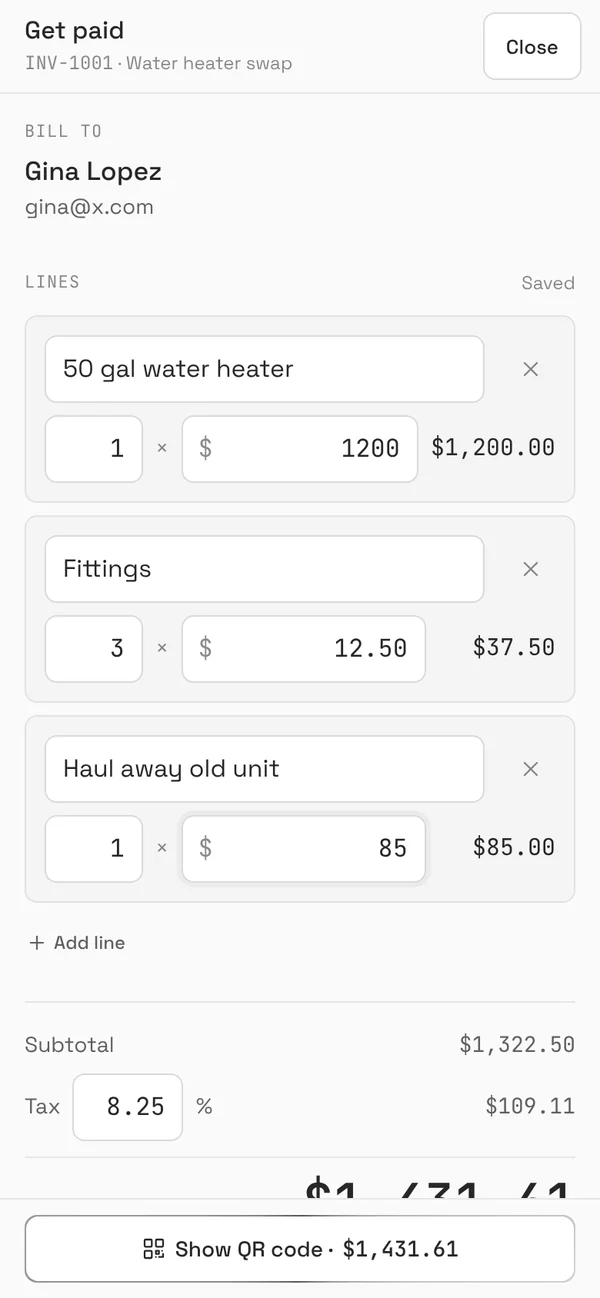
- Get paid: show a QR code on your phone and the customer pays on theirs, on the spot.
- Record other payments: cash, check or anything else, by hand.
- One login for the owner.
What is not included
Estimates, the job tracker, the calendar and online booking, the crew app and team logins, automatic follow-up and reminder emails, review requests, reports, the AI features and the free website are part of Starter. On Free they show with a lock, so you can see what each one does.
Invoices sent on Free carry a small "Powered by BrickByClick" line. Starter and the full-service plans do not.
Why is it free?
We earn 0.5% on card payments (max $25 a payment), on top of Stripe's own processing fee. If you do not get paid by card, we do not earn anything, and you pay nothing.
Many owners who start on Free move to Starter once they want estimates, scheduling and follow-ups in the same place. Your customers and invoices stay when you do.
How do you start invoicing for free?
- Go to crm.brickbyclick.ai/start, choose Start free and pick a password. No card needed. You are signed in straight away.
- Click the link in the email we send to confirm your address. Sending invoices and connecting Stripe turn on once you do.
- Add your business name, logo, address and tax rate in Settings.
- Connect Stripe under Get paid to take card and bank payments. Only the owner can do this, with two-step sign-in on.
- Add a customer and send your first invoice.
The customer gets an email from your business with a button to the invoice. They pay on their phone, and the invoice turns to Paid by itself.
Getting paid on the spot
Open Get paid, choose the customer and the amount, and tap Show QR code. The customer scans it with their phone camera and pays. Paid in cash or by check? Tap They paid another way and record it.
Free vs Starter
| Free | Starter | |
|---|---|---|
| Price | $0 a month | $99 a month |
| Customers and invoices | Yes | Yes |
| Card and bank payments | Stripe's processing + 0.5% per card payment (max $25) | Stripe's processing + 0.5% per card payment (max $25) |
| Estimates with online accept | No | Yes |
| Job tracker, calendar, online booking | No | Yes |
| Crew app and team logins | No, one login | Yes |
| Email follow-ups, payment reminders, review requests | No | Yes |
| Free website on a brickbyclick address | No | Yes |
| "Powered by BrickByClick" on invoices | Yes | No |
The AI receptionist, texting, a website on your own domain and SEO come with the full-service plans, from Front Office at $399 a month. See all plans.
Just need one invoice?
Use the free invoice generator to make a PDF in your browser, with no account. Free is for when you want to send invoices by email, take card payments and keep track of who has paid.
Questions people ask
Is BrickByClick Free really free?
Do I need a Stripe account?
Can I send estimates on Free?
How many invoices can I send?
Can my team use it?
What happens to my data if I upgrade?
Can I remove the Powered by BrickByClick line?
Does it send payment reminders?
Do invoices go to QuickBooks?
Send your first invoice free
Sign up with your email, connect Stripe and send an invoice in a few minutes.